
Om du vill säga upp ditt kabel-TV-abonnemang och enkelt streama direktsänd TV, filmer och serier, IPTV Smarters Pro är fortfarande en av de bästa och mest användarvänliga mediaspelarna som finns tillgängliga för Amazon Firestick.
Eftersom det är ett medieskal, IPTV Smarters Pro tillhandahåller inte något innehåll i sig. Istället låter den dig streama kanaler från den IPTV-leverantör du själv väljer via ett snyggt och överskådligt gränssnitt. Eftersom appen för närvarande inte finns tillgänglig direkt i Amazon Appstore måste du “sideloada” den.
Processen är enkel och helt säker om du följer just dessa steg.
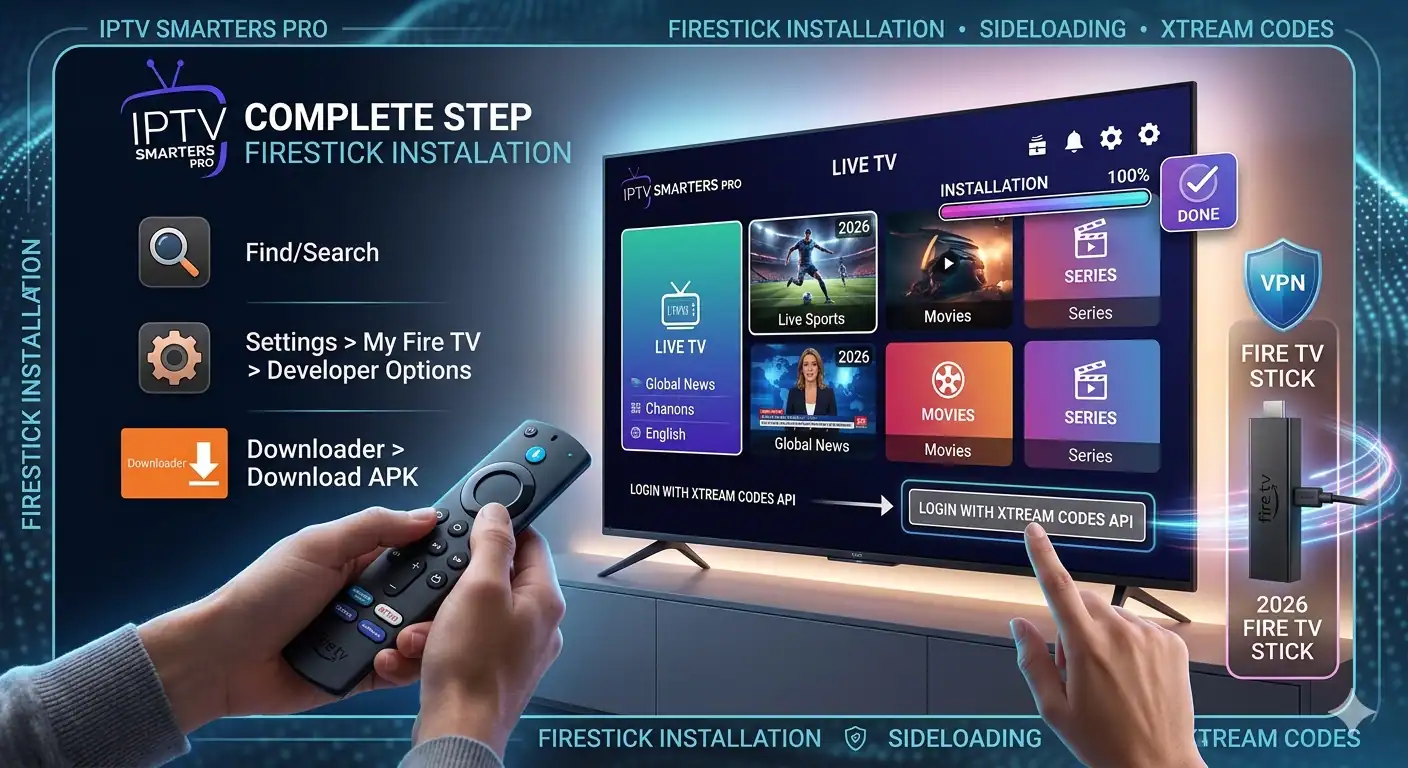
Förutsättningar innan du börjar
Innan du börjar med installationen bör du se till att du har följande:
En aktiv Amazon Firestick ansluten till din TV och Wi-Fi.
Inloggningsuppgifter från din IPTV-tjänsteleverantör (antingen en M3U-URL eller uppgifter om Xtream Codes API).
Steg 1: Aktivera utvecklaralternativen på din Firestick
Amazon kräver att du ger ditt uttryckliga tillstånd innan du laddar ner appar från tredje part utanför deras officiella appbutik.
Obs! På nyare Firestick-modeller eller efter senaste operativsystemuppdateringar är menyn “Utvecklingsalternativ” dold som standard. Så här aktiverar du den:
Navigera till Inställningar menyn (kugghjulsikonen längst till höger på Firesticks startskärm).
Klicka på Min Fire TV.
Välj Om.
Håll muspekaren över din Fire TV Stick namn och klicka på Knappen Välj/OK på din fjärrkontroll 7 gånger kontinuerligt.
Längst ner visas ett meddelande som lyder: “Det behövs inte, du är redan en utvecklare.”
Tryck en gång på bakåtknappen på fjärrkontrollen, så ser du nu Alternativ för utvecklare anges precis nedanför Om.
Klicka på Alternativ för utvecklare, gå till Installera okända appar, och se till att ditt filhanteringsverktyg (t.ex. Nedladdare) är påslagen ON. (Om du inte har Downloader än så skaffar vi det i nästa steg).
Steg 2: Installera appen Downloader
För att hämta installationsfilen (APK) för IPTV Smarters Pro behöver du ett pålitligt verktyg som heter Downloader.
Gå tillbaka till startskärmen på Firestick och klicka på Hitta/Söka ikon.
Typ Nedladdare i sökfältet och välj det från listan.
Klicka på den orangea Nedladdare appikonen.
Klicka på Nedladdningar eller Hämta för att installera det.
När appen är installerad öppnar du den och klickar på Tillåt när programmet ber om behörighet att komma åt dina filer.
Steg 3: Sidoladda och installera IPTV Smarters Pro
Nu när din Firestick är redo att ta emot installationer från tredjepartsleverantörer ska vi hämta den officiella Appen IPTV Smarters.
Starta Nedladdare app.
Klicka på URL-/sökfältet på startskärmen i Downloader.
Ange den direkta officiella nedladdningslänken:
https://www.iptvsmarters.com/smarters.apkeller använd en verifierad nedladdningskod som till exempel 78522.Klicka på Gå.
Vänta ett ögonblick tills APK-filen har laddats ner helt.
När nedladdningen är klar visas automatiskt ett meddelande. Klicka på Installera.
När appen har installerats klickar du på Klart.
Proffstips: Klicka på Radera i den efterföljande Downloader-prompten för att ta bort installationsfilen. Detta frigör värdefullt lagringsutrymme på din Firestick!
Nu kan du hitta IPTV Smarters Pro i din Dina appar och kanaler avsnitt. Du kan gärna fästa den på din startskärm för snabb åtkomst.
Fas 4: Så här konfigurerar du IPTV Smarters Pro
När du startar appen för första gången måste du koppla din spellista. De två vanligaste sätten att koppla in den beskrivs nedan:
Alternativ A: Logga in med Xtream-koder API (Rekommenderas varmt)
Den här metoden är snabbare, mer stabil och fyller i din elektroniska programguide (EPG/TV Guide) automatiskt.
| Fält | Vad ska man ange |
| Vilket namn som helst | Ge din spellista ett smeknamn (t.ex. “Min IPTV”) |
| Användarnamn | Det användarnamn som du har fått av din IPTV-leverantör |
| Lösenord | Lösenordet som du fått av din IPTV-leverantör |
| URL till server | Länken till portaladressen från din leverantör |
När du har fyllt i formuläret klickar du på Lägg till användare, och dina kanaler, filmer och serier börjar laddas ner direkt.
Alternativ B: Ladda din M3U-spellista
Om din leverantör endast har gett dig en lång URL-sträng, välj Ladda upp din spellista eller fil/URL. Klistra in den långa länken i URL-fältet, ge den ett namn och klicka på Lägg till användare.
Snabba tips för smidigare strömning
Använd ett VPN: Många internetleverantörer (ISP:er) begränsar bandbredden för strömning om de upptäcker hög IPTV-trafik. Ett pålitligt VPN skyddar dina data och förhindrar onödig buffring.
Rensa cacheminnet regelbundet: Om appen någonsin börjar hänga, gå till Inställningar > Program > Hantera installerade program > IPTV Smarters Pro och klicka på Rensa cacheminnet.
Anslut till 5 GHz Wi-Fi: För smidig 4K- och HD-streaming bör du se till att din Firestick är ansluten till ett 5 GHz-Wi-Fi-band eller använda en Ethernet-adapter om du befinner dig långt från routern.
Du kan titta på det här Installationsguide för IPTV Smarters Pro Firestick 2026
 Swedish
  English (United States)
  German
  Dutch
Dutch  Danish
  English (UK)
  Norwegian