
For years, picking a streaming device for an IPTV setup was a simple matter of budget. You either picked up a cheap Amazon Firestick or invested a bit more for a dedicated Android TV box, knowing both would let you stream live television effortlessly.
However, in 2026, the entire streaming landscape has experienced a massive shift. Buying the wrong device today no longer just means navigating a slightly sluggish menu it can completely lock you out of the third-party apps and players your IPTV-tjeneste relies on.
If you’re trying to decide between an Amazon Firestick and an Android TV Box, here is exactly what has changed, how recent software updates impact your living room setup, and which hardware actually makes sense to buy right now.
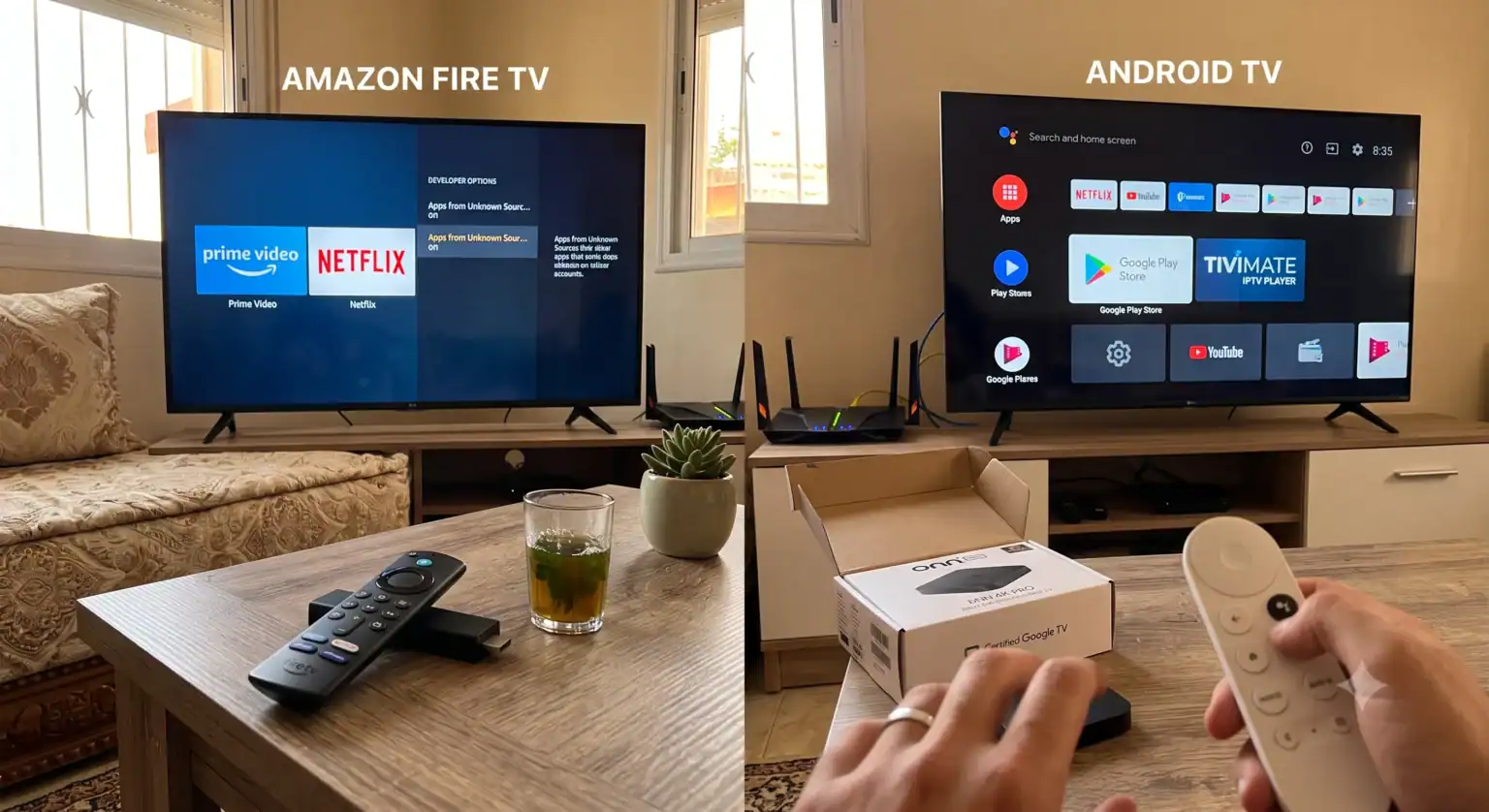
The 2026 Reality Check: Amazon’s Shift to Vega OS
If you are researching this comparison specifically to run apps like TiviMate, IPTV Smarters, or custom provider APKs, you need to understand the massive software change Amazon just pushed to its hardware.
For over a decade, Amazon’s Fire OS was built on an Android backbone. This shared architecture is what allowed users to easily go into the developer settings, enable “Apps from Unknown Sources,” and sideload practically anything using the Downloader app.
That era is over. Amazon is actively transitioning its new streaming hardware starting with models like the Fire TV Stick 4K Select and the Fire TV Stick HD to Vega OS, a proprietary, Linux-based operating system built completely in-house. The underlying Android framework that made the Firestick so versatile is gone.
What this means for cord-cutters:
The End of Easy Sideloading: Vega OS devices do not have a simple consumer-facing toggle to install third-party APKs. You are strictly limited to what Amazon officially approves in its ecosystem.
A Drastically Smaller App Library: Because developers have to rewrite their apps specifically for Linux-based Vega OS rather than porting over Android apps, the current app ecosystem is vastly smaller. While Fire OS had access to over 40,000 Android-compatible apps, Vega OS currently supports only around 3,000 native apps.
No Custom Launchers: You can no longer replace the ad-heavy Amazon home screen with a clean, custom launcher.
While older Firestick models (like the existing 4K Max stock) still run the older Android-based Fire OS, the future of the Amazon ecosystem is a closed garden.
Why Android TV Boxes Are Taking Over
When we talk about “Android TV boxes” in 2026, we aren’t talking about those generic, unbranded boxes scattered across eBay running modified tablet software. We are talking about officially certified devices running the Android TV or Google TV operating systems such as the Nvidia Shield TV Pro, den Chromecast with Google TV (4K), or the highly popular Onn 4K Pro.
These devices offer a fundamentally different approach to media consumption that strongly favors IPTV users:
The Open Google Play Store: You get unfiltered access to the official Google Play ecosystem, which natively supports thousands of utility apps, premium VPNs, and dedicated IPTV media players.
Unhindered Sideloading APKs: Android TV remains an inherently open platform. If you need to install a specific custom APK from your IPTV provider, you just download it and run it. No developer workarounds or complex testing workflows are required.
Raw Processing Power for EPGs: High-end Android boxes utilize powerful processors that easily handle high-bitrate 4K sports streams, heavy Electronic Program Guide (EPG) data, and multitasking without the menu lag commonly found on budget sticks.
Direct Comparison: Firestick vs. Android TV in 2026
If you are weighing the two platforms, here is how the core features stack up for a dedicated streaming setup today.
| Funksjon | Amazon Firestick (New Vega OS Models) | Certified Android TV Boxes |
| Operativsystem | Vega OS (Linux-based) | Android TV / Google TV |
| Sideloading Apps | Blocked for average consumers | Fully supported and easy |
| App Library Size | ~3,000 native apps | 40,000+ Android apps |
| Hjemmeskjerm | Heavy Amazon integration, unremovable banner ads | Customizable, focused on Google recommendations |
| Best egnet for… | Netflix, Prime Video, standard commercial streaming | IPTV, TiviMate, Plex servers, and sideloading |
Den endelige dommen
If you simply want to plug a device into your TV to watch Netflix, Disney+, and YouTube, the Amazon Firestick remains a perfectly capable, budget-friendly piece of hardware. The remote is excellent, and it gets the job done for mainstream commercial streaming.
However, if you are actively setting up an IPTV service, an Android TV Box is undeniably the better choice in 2026. The transition to Vega OS means the Firestick is no longer the versatile, unlockable tool that cord-cutters relied on for years. By investing in a Google TV or Android TV device, you guarantee that you keep the freedom to install the media players, VPNs, and custom applications required for a flawless, buffer-free streaming experience.
 Norwegian
  English (United States)
  German
  Dutch
Dutch  Danish
  English (UK)
  Swedish