
Jarenlang was de keuze voor een streamingapparaat voor een IPTV-installatie puur een kwestie van budget. Je koos ofwel voor een goedkope Amazon Firestick, of je investeerde iets meer in een speciale Android TV-box, in de wetenschap dat je met beide moeiteloos live televisie kon streamen.
In 2026 heeft het hele streaminglandschap echter een enorme verandering ondergaan. Als je vandaag het verkeerde apparaat koopt, betekent dat niet langer alleen dat je door een ietwat traag menu moet navigeren; het kan er ook toe leiden dat je helemaal geen toegang meer hebt tot de apps en spelers van derden die je IPTV-service waarop het steunt.
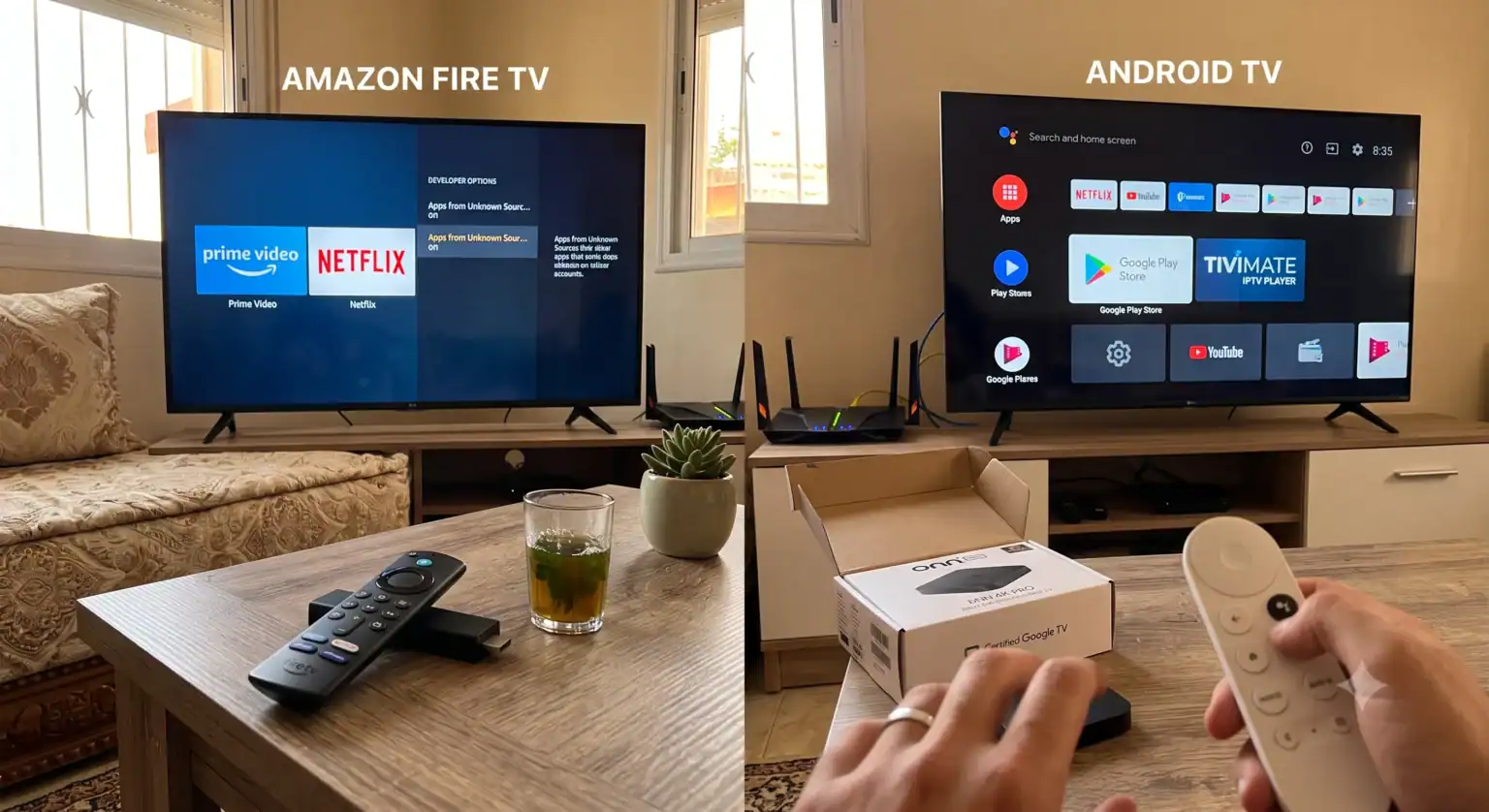
Als je twijfelt tussen een Amazon Fire Stick en een Android TV Box: hier lees je precies wat er is veranderd, welke invloed recente software-updates hebben op je opstelling in de woonkamer en welke hardware je op dit moment daadwerkelijk het beste kunt aanschaffen.
De realiteitscheck van 2026: Amazons overstap naar Vega OS
Als je deze vergelijking specifiek maakt om apps zoals TiviMate, IPTV Smarters of APK’s van aangepaste providers te gebruiken, moet je je bewust zijn van de ingrijpende softwarewijziging die Amazon zojuist op zijn hardware heeft doorgevoerd.
Ruim tien jaar lang was het Fire OS van Amazon gebaseerd op een Android-kern. Dankzij deze gedeelde architectuur konden gebruikers eenvoudig naar de ontwikkelaarsinstellingen gaan, de optie “Apps van onbekende bronnen” inschakelen en vrijwel alles via de Downloader-app sideloaden.
Dat tijdperk is voorbij. Amazon is volop bezig met de overgang naar zijn nieuwe streamingapparatuur, te beginnen met modellen zoals de Fire TV-stick 4K Select en de Fire TV Stick HD naar Vega OS, een eigen, op Linux gebaseerd besturingssysteem dat volledig in eigen beheer is ontwikkeld. Het onderliggende Android-framework dat de Firestick zo veelzijdig maakte, is verdwenen.
Wat dit betekent voor mensen die hun kabelabonnement hebben opgezegd:
Het einde van het eenvoudig sideloaden: Vega OS-apparaten beschikken niet over een eenvoudige, voor de gebruiker toegankelijke schakelaar om APK’s van derden te installeren. Je bent strikt beperkt tot wat Amazon officieel goedkeurt binnen zijn ecosysteem.
Een aanzienlijk kleinere app-bibliotheek: Omdat ontwikkelaars hun apps specifiek voor het op Linux gebaseerde Vega OS moeten herschrijven in plaats van Android-apps te porten, is het huidige app-ecosysteem aanzienlijk kleiner. Terwijl Fire OS toegang had tot meer dan 40.000 Android-compatibele apps, ondersteunt Vega OS momenteel slechts ongeveer 3.000 native apps.
Geen aangepaste startprogramma's: Je kunt het met advertenties overladen startscherm van Amazon niet langer vervangen door een overzichtelijke, aangepaste launcher.
Hoewel oudere Firestick-modellen (zoals de huidige 4K Max-versie) nog steeds op het oudere, op Android gebaseerde Fire OS draaien, is de toekomst van het Amazon-ecosysteem een gesloten systeem.
Waarom Android TV-boxen steeds populairder worden
Als we het in 2026 over “Android TV-boxen” hebben, bedoelen we niet die generieke, merkloze boxen die overal op eBay te vinden zijn en waarop aangepaste tabletsoftware draait. We hebben het over officieel gecertificeerde apparaten waarop de besturingssystemen Android TV of Google TV draaien, zoals de Nvidia Shield TV Pro, de Chromecast met Google TV (4K), of de zeer populaire Onn 4K Pro.
Deze apparaten bieden een fundamenteel andere benadering van mediagebruik die IPTV-gebruikers sterk ten goede komt:
De Google Play Store openen: Je krijgt onbeperkte toegang tot het officiële Google Play-ecosysteem, dat van nature duizenden hulpprogramma’s, premium VPN’s en speciale IPTV-mediaspelers ondersteunt.
APK’s ongehinderd sideloaden: Android TV blijft een inherent open platform. Als je een specifieke, op maat gemaakte APK van je IPTV-aanbieder moet installeren, hoef je deze alleen maar te downloaden en uit te voeren. Er zijn geen technische workarounds of ingewikkelde testprocedures nodig.
Ruwe verwerkingskracht voor EPG’s: Hoogwaardige Android-boxen maken gebruik van krachtige processors die moeiteloos sportstreams met een hoge bitsnelheid, omvangrijke EPG-gegevens (Electronic Program Guide) en multitasking aankunnen, zonder de vertraging bij het navigeren door het menu die vaak voorkomt bij goedkope sticks.
Directe vergelijking: Firestick versus Android TV in 2026
Als je de twee platforms met elkaar vergelijkt, zie je hier hoe de belangrijkste functies zich op dit moment tot elkaar verhouden voor een speciale streamingopstelling.
| Functie | Amazon Firestick (nieuwe modellen met Vega OS) | Gecertificeerde Android TV-dozen |
| Besturingssysteem | Vega OS (op basis van Linux) | Android TV / Google TV |
| Apps via sideloading installeren | Niet toegankelijk voor de gemiddelde consument | Volledig ondersteund en gebruiksvriendelijk |
| Grootte van de app-bibliotheek | ~3.000 native apps | Meer dan 40.000 Android-apps |
| Startscherm | Uitgebreide integratie met Amazon, banneradvertenties die niet kunnen worden verwijderd | Aanpasbaar, afgestemd op de aanbevelingen van Google |
| Het beste voor... | Netflix, Prime Video, reguliere commerciële streamingdiensten | IPTV, TiviMate, Plex-servers en sideloading |
Het definitieve oordeel
Als je gewoon een apparaat op je tv wilt aansluiten om Netflix, Disney+ en YouTube te kijken, dan is de Amazon Fire Stick blijft een prima, betaalbaar apparaat. De afstandsbediening is uitstekend en voldoet prima voor gangbare commerciële streamingdiensten.
Als je echter bezig bent met het opzetten van een IPTV-dienst, dan is een Android TV-doos is onmiskenbaar de betere keuze in 2026. De overstap naar Vega OS betekent dat de Firestick niet langer het veelzijdige, aanpasbare apparaat is waarop cord-cutters jarenlang hebben vertrouwd. Door te investeren in een Google TV- of Android TV-apparaat, zorg je ervoor dat je de vrijheid behoudt om de mediaspelers, VPN’s en aangepaste applicaties te installeren die nodig zijn voor een vlekkeloze, bufferloze streamingervaring.
 Dutch
Dutch  English (United States)
  German
  Danish
  English (UK)
  Norwegian
  Swedish