
If you’re searching for IBO-spiller playlist, IBO Player M3U, how to add playlist on IBO Player, or wondering is IBO Player Pro gratis, this complete guide covers everything clearly, accurately, and step by step. Whether you’re new to IPTV players or optimizing a Smart TV setup, this article helps you get the best performance in 2026.

What Is IBO Player?
IBO-spiller is a popular IPTV player for Smart TVs that lets users stream live TV, movies, and series using M3U-afspilningslister eller Xtream Koder. The app itself does not provide channels; instead, it plays content from playlists you add.
Why users choose it
Clean Smart TV interface
Fast playlist loading
Stable playback for HD, Full HD, and 4K streams
Simple activation model (Free vs Pro)
What Is an IBO Player Playlist?
En IBO Player playlist is typically an M3U URL supplied by your IPTV provider. It contains channel links, categories, and sometimes EPG (TV guide) data. Once added, IBO Player organizes channels into live TV, movies, and series for easy browsing.
Supported playlist formats
✅ M3U / M3U8 URL
✅ Xtream Codes (username, password, server URL)
How to Add Playlist on IBO Player (Step-by-Step)
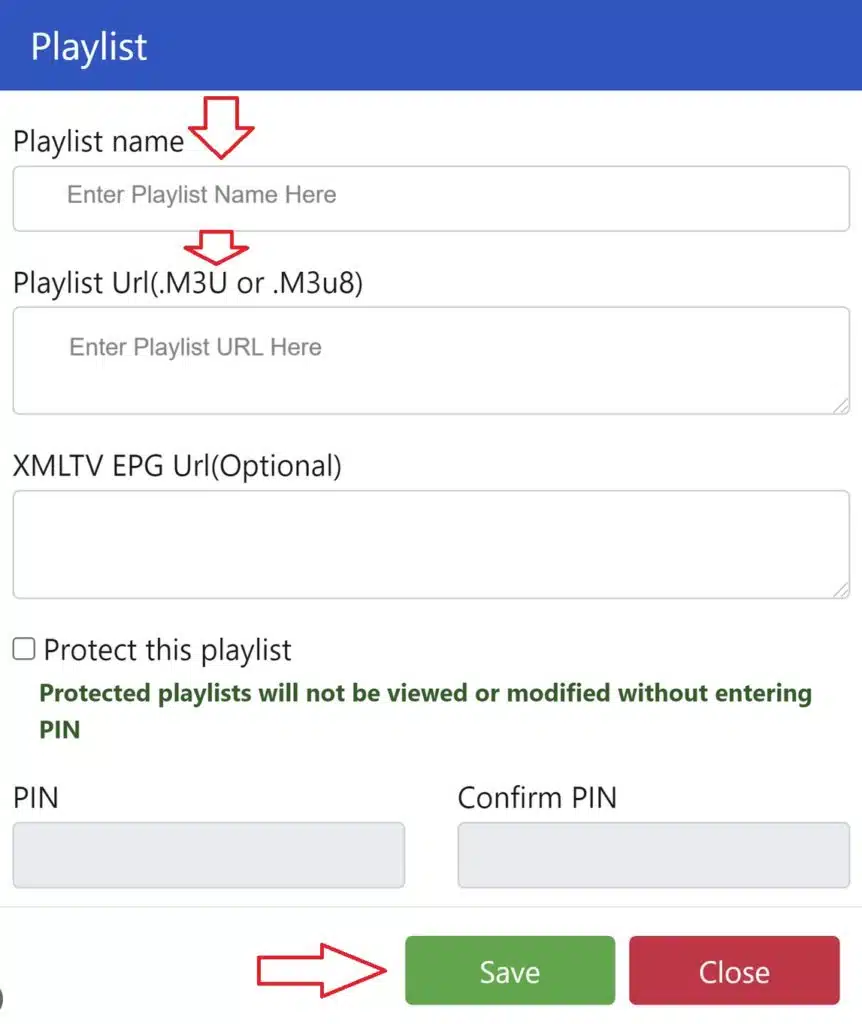
Follow these steps to add an IBO Player M3U playlist correctly:
Install IBO Player on your Smart TV and open the app
Note the Device ID & Device Key shown on screen
Åbn den IBO Player playlist portal on your phone or computer
Indtast din Device ID & Key
Indsæt din M3U playlist URL (or Xtream Codes)
Save and restart the app on your TV
Your channels will load automatically after refresh.
Tip: Use a stable internet connection (wired Ethernet if possible) to avoid buffering during the first sync.
IBO Player M3U Not Working? Common Fixes
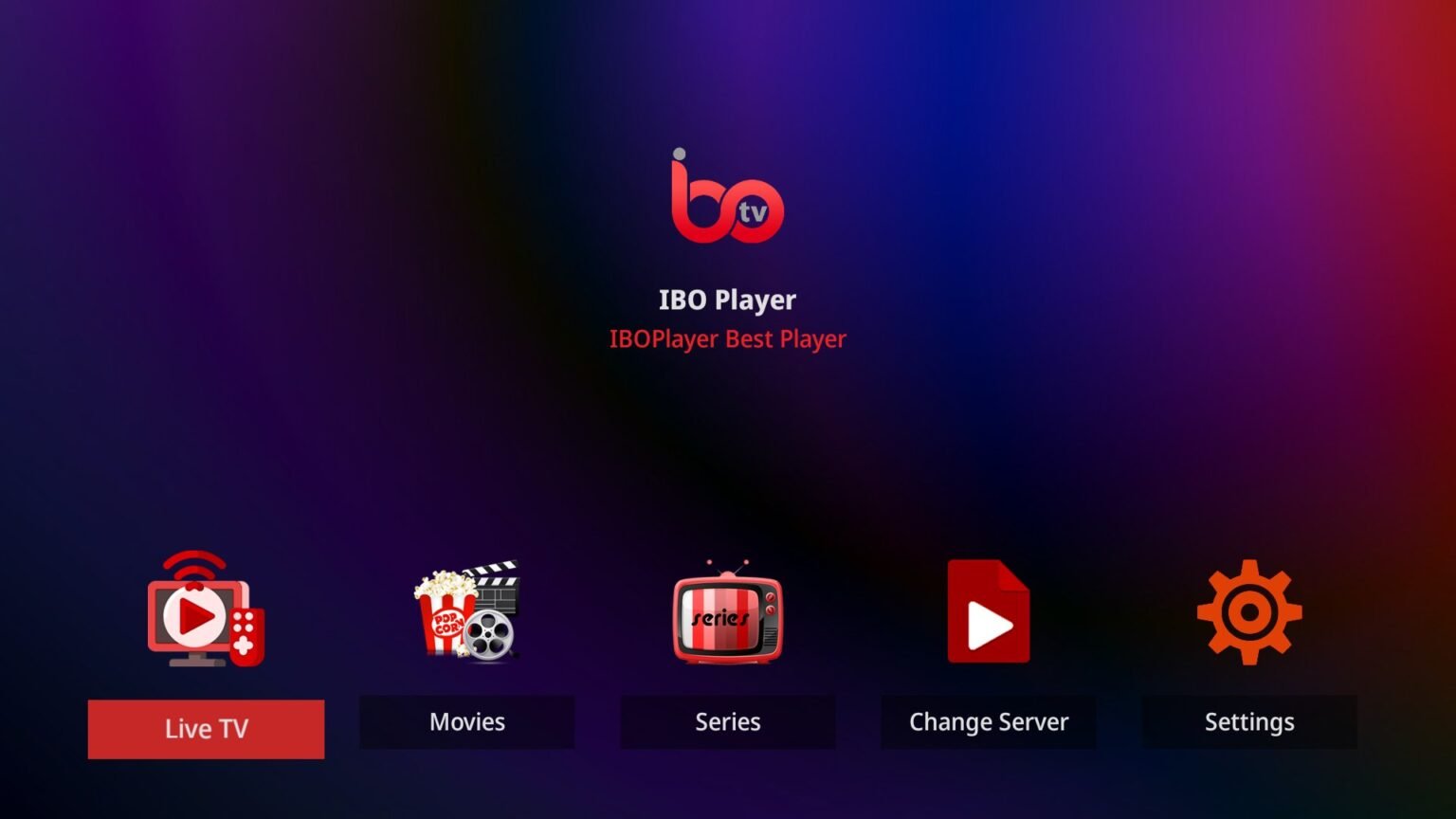
If your IBO Player playlist is not loading, try these quick solutions:
Double-check the M3U URL (no extra spaces)
Restart the TV and reload the app
Refresh the playlist from the portal
Test the playlist on another device
Ensure your IPTV subscription is active
Most issues come from expired or incorrectly copied M3U links.
Is IBO Player Pro Free?
This is one of the most searched questions.
Short answer: ❌ No, IBO Player Pro is not free, but there is a limited free trial.
Free Version
Temporary trial period
Basic playback
Watermark or restrictions may apply
Pro Version
One-time activation fee (not a subscription)
Unlimited playlist usage
Faster loading & smoother performance
No interruptions
For long-term use, IBO Player Pro is the better option for stability and convenience.
IBO Player Free vs Pro – What’s the Difference?
| Funktion | Gratis | Pro |
|---|---|---|
| Playlist duration | Begrænset | Unlimited |
| Performance | Standard | Optimized |
| Watermarks | Possible | Ingen |
| Long-term use | ❌ | ✅ |
| One-time activation | ❌ | ✅ |
Verdict: If you watch IPTV regularly, upgrading to Pro is worth it.
Best Practices for IBO Player Playlists (2026)
Use high-quality IPTV providers with stable servers
Keep only one active playlist per device for best speed
Refresh playlists weekly to avoid EPG errors
Pair IBO Player with wired internet for 4K streams
Final Verdict: Is IBO Player Worth It?
Yes. With correct playlist setup, IBO-spiller delivers a smooth Smart TV IPTV experience. It’s ideal for users who want a clean interface, easy M3U integration, and a one-time Pro activation instead of monthly app fees.
If your focus is IBO Player playlist setup, M3U reliability, and understanding free vs Pro, this app remains one of the strongest IPTV players in 2026.
 Danish
  English (United States)
  German
  Dutch
Dutch  Swedish
  English (UK)
  English (Australia)
  English (New Zealand)
  Norwegian