
Om du letar efter IBO-spelare spellista, IBO Player M3U, hur man lägger till en spellista på IBO-spelare, eller undrar om IBO Player Pro Denna kostnadsfria, omfattande guide förklarar allt på ett tydligt, korrekt och stegvis sätt. Oavsett om du är nybörjare när det gäller IPTV-spelare eller vill optimera din Smart TV-installation, hjälper den här artikeln dig att få ut bästa möjliga prestanda under 2026.

Vad är IBO Player?
IBO-spelare är en populär IPTV-spelare för smart-tv-apparater som gör det möjligt för användare att streama direktsänd tv, filmer och serier med hjälp av M3U-spellistor eller Xtream Koder. Appen i sig erbjuder inga kanaler; istället spelar den upp innehåll från de spellistor som du lägger till.
Varför användarna väljer den
Ett överskådligt gränssnitt för Smart TV
Snabb inläsning av spellistor
Stabil uppspelning av HD-, Full HD- och 4K-strömmar
Enkel aktiveringsmodell (Free vs Pro)
Vad är en IBO-spelarens spellista?
En IBO Player-spellistat är vanligtvis en M3U URL som tillhandahålls av din IPTV-leverantör. Den innehåller kanallänkar, kategorier och ibland EPG-data (TV-guide). När den har lagts till sorterar IBO Player kanalerna i live-TV, filmer och serier för att underlätta navigeringen.
Spellistformat som stöds
✅ M3U-/M3U8-URL
✅ Xtream-koder (användarnamn, lösenord, server-URL)
Så här lägger du till en spellista i IBO Player (steg för steg)
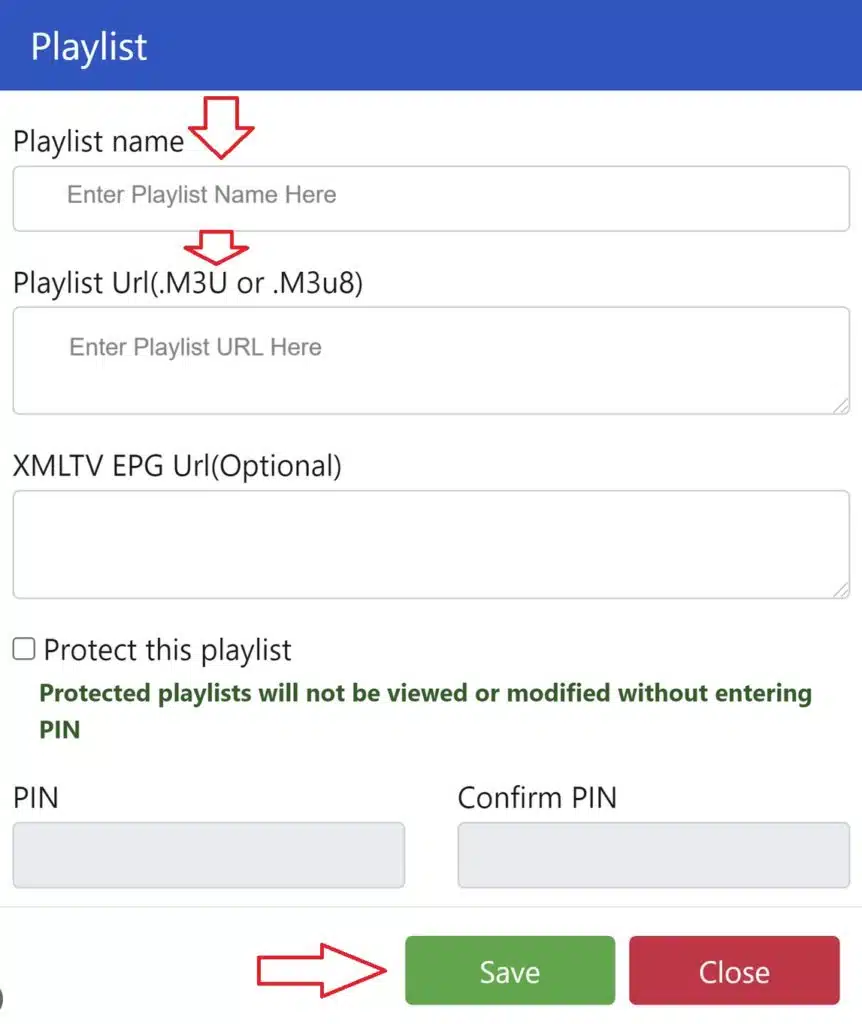
Följ dessa steg för att lägga till en IBO-spelare M3U-spellista korrekt:
Installera IBO-spelare på din Smart TV och öppna appen
Notera enhets-ID och enhetsnyckel visas på skärmen
Öppna IBO Player spellista portal på din telefon eller dator
Ange din Enhets-ID och nyckel
Klistra in din M3U-spellista URL (eller Xtream-koder)
Spara och starta om appen på din TV
Dina kanaler laddas automatiskt efter uppdateringen.
Tips: Använd en stabil internetanslutning (helst via kabel, Ethernet) för att undvika buffring under den första synkroniseringen.
Fungerar inte IBO Player M3U? Vanliga lösningar
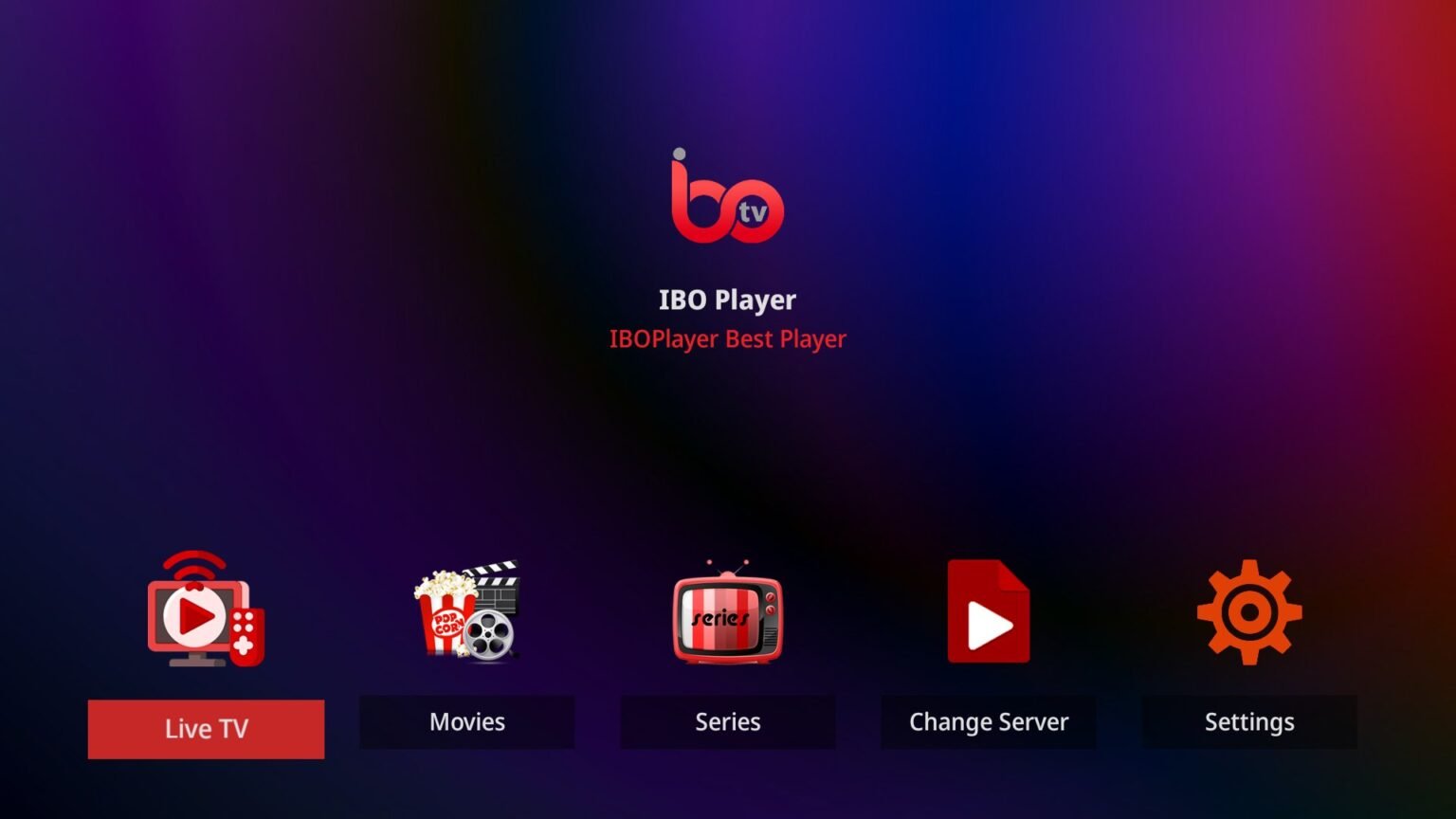
Om din IBO Player-spellistan laddas inte, prova dessa snabba lösningar:
Kontrollera noga att M3U URL (inga extra mellanslag)
Starta om TV:n och ladda om appen
Uppdatera spellistan från portalen
Testa spellistan på en annan enhet
Se till att din IPTV-abonnemang är aktiv
De flesta problemen beror på att M3U-länkarna har gått ut eller har kopierats felaktigt.
Är IBO Player Pro gratis?
Det här är en av de vanligaste frågorna.
Kort svar: ❌ Nej, IBO Player Pro är inte gratis, men det finns en begränsad kostnadsfri provperiod.
Fri version
Tillfällig provperiod
Grundläggande uppspelning
Vattenstämpel eller begränsningar kan förekomma
Pro-versionen
Engångsavgift för aktivering (inget abonnemang)
Obegränsad användning av spellistor
Snabbare laddning och smidigare prestanda
Inga avbrott
Vid långvarig användning, IBO Player Pro är det bästa alternativet när det gäller stabilitet och bekvämlighet.
IBO Player Free jämfört med Pro – Vad är skillnaden?
| Funktion | Gratis | Pro |
|---|---|---|
| Spellistans längd | Begränsad | Obegränsad |
| Prestanda | Standard | Optimerad |
| Vattenmärken | Möjligt | Ingen |
| Långvarig användning | ❌ | ✅ |
| Engångsaktivering | ❌ | ✅ |
Dom: Om du tittar på IPTV regelbundet är det värt att uppgradera till Pro.
Bästa praxis för IBO-spelarens spellistor (2026)
Användning IPTV-leverantörer av hög kvalitet med stabila servrar
Behåll endast en aktiv spellista per enhet för bästa hastighet
Uppdatera spellistorna varje vecka för att undvika EPG-fel
Kombinera IBO Player med fast internet för 4K-strömmar
Slutgiltigt omdöme: Är IBO Player värt det?
Ja. Om spellistan är korrekt inställd, IBO-spelare ger en smidig Smart TV IPTV upplevelse. Den är perfekt för användare som vill ha ett överskådligt gränssnitt, enkel M3U-integration och en engångsaktivering av Pro-versionen istället för månatliga appavgifter.
Om du fokuserar på Inställningar för IBO Player-spellista, M3U:s tillförlitlighet, och förståelse Gratis vs Pro, och den här appen är fortfarande en av de starkaste IPTV-aktörerna år 2026.
 Swedish
  English (United States)
  German
  Dutch
Dutch  Danish
  English (UK)
  Norwegian