
If you have been looking to cut the cord on traditional cable or satellite, you have likely run across the phrase “IPTV-TV“ While the phrasing sounds slightly redundant literally translating to Internet Protocol Television Television it highlights the massive shift currently happening in home entertainment.
Consumers looking up this term are usually searching for two things: the internet-based broadcast technology itself, or the specific Smart-TV hardware required to run it smoothly.
This guide will break down exactly how IPTV architecture works, how it differs from old-school cable, and the exact technical requirements you need to build a flawless, buffer-free viewing experience.
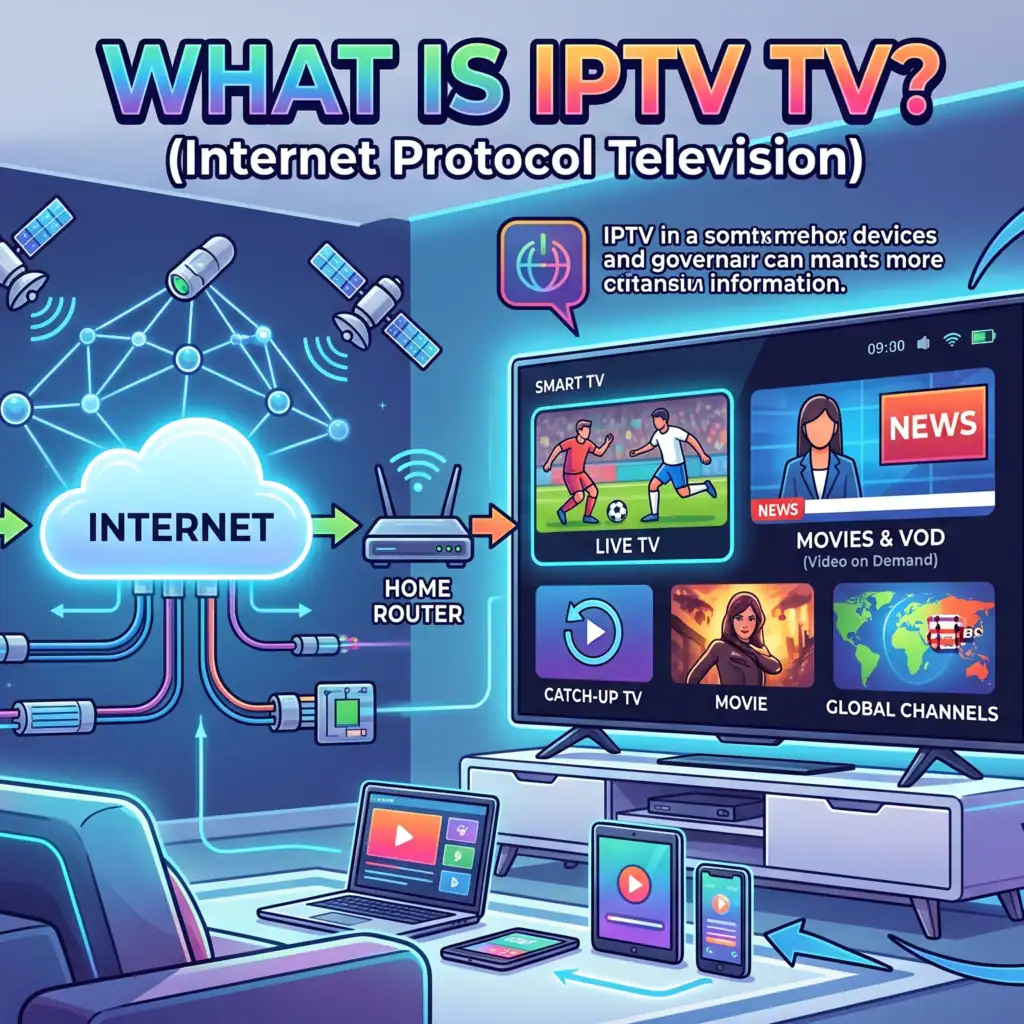
What Exactly is IPTV?
I bunn og grunn, IPTV (Internettprotokoll-TV) is the delivery of television content over IP-based networks. Instead of receiving light or radio frequencies through a terrestrial antenna, satellite dish, or coaxial cable, your media is delivered as digitized data packets over a broadband or fiber-optic internet connection.
Unlike public streaming platforms that stream video over standard web protocols, premium IPTV infrastructure often utilizes a managed IP network. This private infrastructure allows service providers to control the network architecture tightly, guaranteeing a high level of Quality of Service (QoS) and solid uptime.
How Content Moves: The IPTV Pipeline
To understand why IPTV is so efficient, you have to look at how a channel travels from the source to your living room screen:
1.The Super Head-End (SHE) :
This is the central injection point. Live national broadcasts and Video-on-Demand (VOD) assets are collected from content creators, aggregated, and fed into high-powered digital encoders.
2.Codec Compression :
Raw video files are far too massive to stream over residential broadband. The SHE compresses the video into internet-friendly formats—most notably HEVC (H.265) for 4K streams or the highly efficient, royalty-free AV1 codec, which cuts bandwidth requirements drastically compared to older H.264 video.
3.The Video Hub Office (VHO) :
The compressed streams travel down the core network to localized Video Hub Offices. Here, local advertisements, regional channels, and the Electronic Program Guide (EPG) data are injected into the stream.
4.Switched IP Delivery :
When you select a channel on your TV, your device triggers an IGMP (Internet Group Management Protocol) request. Instead of flooding your router with thousands of channels at once, the edge server sends bare the data packets for the single channel you are actively watching.
IPTV vs. Traditional Cable: The Technical Showdown
The fundamental difference between old-school cable networks and IPTV comes down to data allocation. Traditional cable uses a broadcast model: every single channel is pumped into your home simultaneously through your coaxial cable line. Your cable box simply acts as a filter to display one channel while ignoring the rest.
IPTV uses a switched, two-way unicast or multicast model. It acts exactly like a web browser; nothing is sent to your home until you specifically request it.
| Funksjon | IPTV Systems | Traditional Cable / Satellite |
| Data Delivery | Switched IP Packets (On-Demand) | Continuous Radio Frequency Broadcast |
| Bandwidth Usage | Consumes bandwidth only for active stream | Consumes fixed, massive bandwidth across all channels |
| Interaktivitet | True two-way communication (VOD, Catch-up) | Mostly one-way (Requires external return path) |
| Device Agnostic | Runs on Smart TVs, phones, tablets, PCs | Requires proprietary, leased STB hardware |
The Hardware Side: What Makes a Great "IPTV TV"?
If you are setting up an IPTV system, your choice of Smart TV operating system dictates your entire user experience. A weak TV processor or a poorly optimized OS will cause the user interface to crawl, especially when attempting to load massive M3U playlists containing tens of thousands of channels and VOD assets.
Samsung Tizen OS vs. LG WebOS vs. Android TV
For a premium home cinema setup, the OS powering your television determines how smoothly your IPTV player will render content.
Samsung Tizen OS: Samsung’s custom operating system is exceptionally lightweight. It excels at rapid channel zapping and handles heavy XMLTV data guides without crashing. Tizen features native hardware decoding for both HEVC and AV1 codecs directly on its mid-to-high-tier panels.
LG WebOS: LG’s interface is highly optimized for app stability. The WebOS store hosts a variety of premium, security-audited IPTV players that interface perfectly with the TV’s internal video rendering engine, making it a favorite for handling high-bitrate 4K streams.
Android TV / Google TV (Sony, TCL, Hisense): The ultimate system for flexibility. Because it is an open ecosystem, Android TV allows users to easily sideload custom applications via APK files. If a specific advanced player or diagnostic tool isn’t in the official app store, you can install it manually in less than two minutes.
Avoiding the Buffering Trap: Essential Network Specs
No matter how advanced your Smart TV is, your IPTV stream will struggle if your local network is misconfigured. If you are experiencing constant freezing, pixelation, or the dreaded “Looping” effect, audit your system against these baseline specifications:
Bandwidth Thresholds: While a standard high-definition (HD) stream only requires roughly 8 to 10 Mbps of stable download speed, a premium 4K UHD stream utilizing HDR requires a minimum of 25 to 30 Mbps of unthrottled bandwidth.
The Wi-Fi Problem: Wi-Fi is highly susceptible to local environmental interference and packet loss. If your Smart TV is situated away from your main router, running a physical Cat6 Ethernet cable directly to the back of the TV or streaming device is the single most effective way to eliminate buffering.
Double NAT & Cloudflare Issues: If your network configuration uses multiple routers (such as an ISP modem connected to a secondary mesh router), you may experience Cloudflare timeouts or Error 524 issues due to firewall restrictions. Ensure your secondary router is running in “Bridge Mode” to streamline data packet delivery.
 Norwegian
  English (United States)
  German
  Dutch
Dutch  Danish
  English (UK)
  Swedish