
Als je erover nadenkt om af te stappen van traditionele kabel- of satelliet-tv, ben je waarschijnlijk de uitdrukking al eens tegengekomen “IPTV-tv“ Hoewel de formulering enigszins overbodig klinkt, betekent dit letterlijk vertaald: Internetprotocoltelevisie Televisie het benadrukt de enorme verschuiving die momenteel plaatsvindt op het gebied van home entertainment.
Consumenten die deze term opzoeken, zijn meestal op zoek naar twee dingen: de internetgebaseerde uitzendtechnologie zelf, of de specifieke Slimme TV de hardware die nodig is om het soepel te laten draaien.
In deze gids wordt precies uitgelegd hoe de IPTV-architectuur werkt, waarin deze verschilt van traditionele kabeltelevisie en wat de exacte technische vereisten zijn om een vlekkeloze kijkervaring zonder buffering te realiseren.
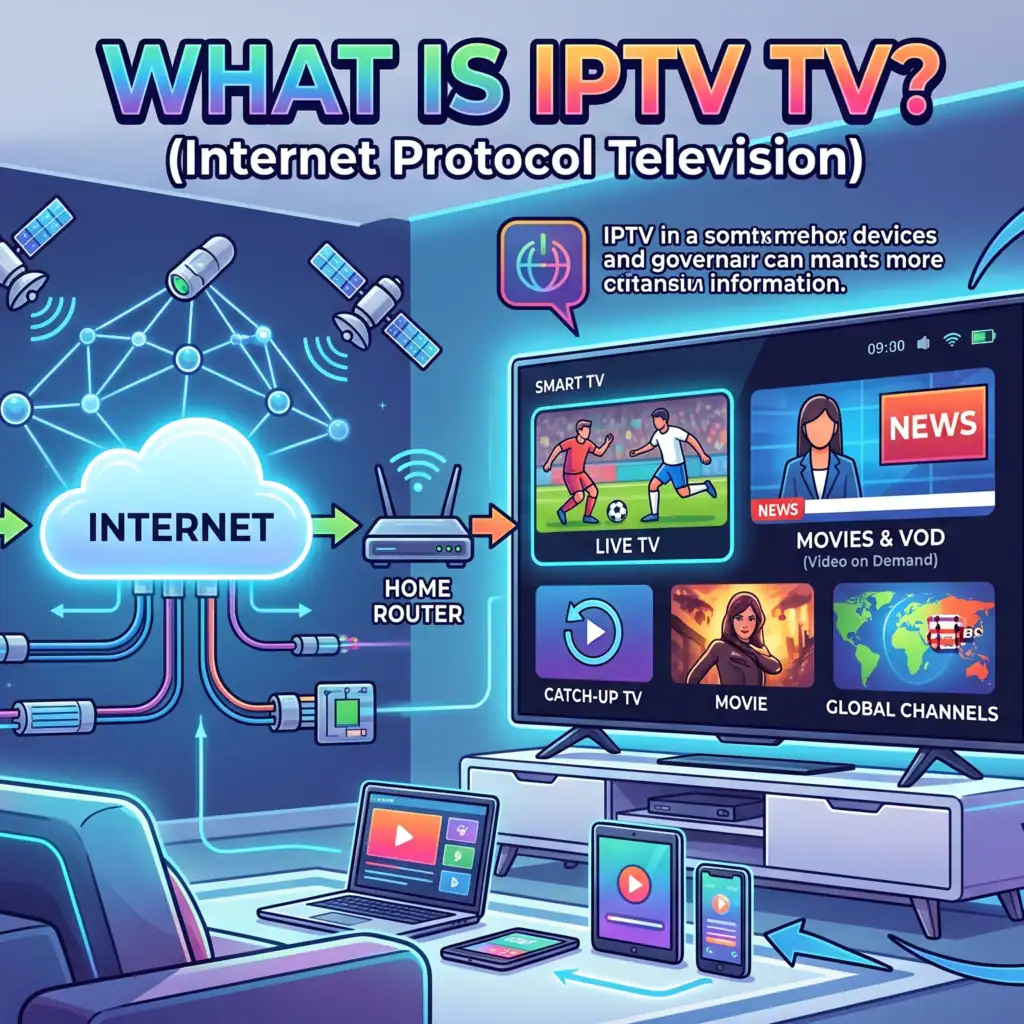
Wat is IPTV precies?
In wezen, IPTV (Internet Protocol Televisie) is de levering van televisiecontent via IP-netwerken. In plaats van licht of radiofrequenties te ontvangen via een terrestrische antenne, een satellietschotel of een coaxkabel, wordt uw media geleverd in de vorm van gedigitaliseerde datapakketten via een breedband- of glasvezelinternetverbinding.
In tegenstelling tot openbare streamingplatforms die video via standaard webprotocollen streamen, maakt een premium IPTV-infrastructuur vaak gebruik van een beheerd IP-netwerk. Dankzij deze eigen infrastructuur kunnen dienstverleners de netwerkarchitectuur nauwkeurig beheren, waardoor een hoog niveau van Quality of Service (QoS) en een betrouwbare beschikbaarheid.
Hoe content wordt overgedragen: de IPTV-pijplijn
Om te begrijpen waarom IPTV zo efficiënt is, moet je eens kijken hoe een zender van de bron naar het scherm in je woonkamer wordt verzonden:
1. De Super Head-End (SHE):
Dit is het centrale distributiepunt. Live nationale uitzendingen en Video-on-demand (VOD) De bestanden worden verzameld bij de makers van de content, samengevoegd en ingevoerd in krachtige digitale encoders.
2. Codec-compressie:
Onbewerkte videobestanden zijn veel te groot om via een breedbandverbinding voor thuisgebruik te streamen. De SHE comprimeert de video naar internetvriendelijke formaten — met name HEVC (H.265) voor 4K-streams of de uiterst efficiënte, royaltyvrije AV1 codec, die de benodigde bandbreedte drastisch vermindert in vergelijking met oudere H.264-video.
3. Het Video Hub Office (VHO):
De gecomprimeerde streams worden via het kernnetwerk doorgestuurd naar lokale Video Hub-kantoren. Daar worden lokale reclames, regionale zenders en de gegevens van de elektronische programmagids (EPG) in de stream ingevoegd.
4. IP-levering via geschakelde verbindingen:
Wanneer je een zender op je tv selecteert, activeert je apparaat een IGMP (Internet Protocol voor Groepsbeheer) verzoek. In plaats van je router in één keer te overspoelen met duizenden kanalen, stuurt de edge-server alleen de datapakketten voor het ene kanaal waarnaar je op dat moment kijkt.
IPTV versus traditionele kabel: de technische krachtmeting
Het fundamentele verschil tussen de traditionele kabelnetwerken en IPTV komt neer op de verdeling van de data. Bij traditionele kabel wordt gebruikgemaakt van een uitzendmodel: elk kanaal wordt tegelijkertijd via je coaxkabel naar je huis gestuurd. Je kabelbox fungeert simpelweg als een filter om één kanaal weer te geven, terwijl de rest wordt genegeerd.
IPTV maakt gebruik van een geschakeld, bidirectioneel unicast- of multicast-model. Het werkt precies zoals een webbrowser: er wordt niets naar je huis gestuurd totdat je er specifiek om vraagt.
| Functie | IPTV-systemen | Traditionele kabel-/satellietontvangst |
| Gegevenslevering | Doorgegeven IP-pakketten (op aanvraag) | Continu radiofrequentie-uitzending |
| Bandbreedtegebruik | Verbruikt alleen bandbreedte voor de actieve stream | Verbruikt een vaste, enorme bandbreedte over alle kanalen heen |
| Interactiviteit | Echte tweerichtingscommunicatie (VOD, Catch-up) | Meestal eenrichtingsverkeer (extern retourpad vereist) |
| Onafhankelijk van het apparaat | Werkt op Smart TVs, telefoons, tablets en pc’s | Vereist eigen, gehuurde STB-hardware |
De hardwarekant: wat maakt een "IPTV-tv" zo goed?
Als u een IPTV-systeem installeert, is de keuze voor het Smart TV-besturingssysteem bepalend voor uw gehele gebruikerservaring. Een zwakke tv-processor of een slecht geoptimaliseerd besturingssysteem zorgt ervoor dat de gebruikersinterface traag reageert, vooral bij het laden van omvangrijke M3U-afspeellijsten met tienduizenden kanalen en VOD-bestanden.
Samsung Tizen OS versus LG WebOS versus Android TV
Voor een hoogwaardige thuisbioscoopopstelling bepaalt het besturingssysteem van je televisie hoe soepel je IPTV-speler de inhoud weergeeft.
Samsung Tizen OS: Het door Samsung zelf ontwikkelde besturingssysteem is buitengewoon licht. Het blinkt uit in snel zappen en verwerkt omvangrijke XMLTV-programmagidsen zonder vast te lopen. Tizen biedt native hardwarematige decodering voor zowel HEVC- als AV1-codecs, rechtstreeks op zijn schermen uit het midden- tot hogere segment.
LG WebOS: De interface van LG is optimaal afgestemd op de stabiliteit van apps. De WebOS Store biedt een breed scala aan hoogwaardige, op beveiliging geteste IPTV-spelers die naadloos samenwerken met de interne videoweergave-engine van de tv, waardoor deze een favoriet is voor het afspelen van 4K-streams met een hoge bitsnelheid.
Android TV / Google TV (Sony, TCL, Hisense): Het ultieme systeem voor flexibiliteit. Omdat Android TV een open ecosysteem is, kunnen gebruikers eenvoudig aangepaste apps via APK-bestanden installeren. Als een bepaalde geavanceerde speler of diagnostische tool niet in de officiële app store te vinden is, kun je deze in minder dan twee minuten handmatig installeren.
De bufferval vermijden: essentiële netwerkspecificaties
Hoe geavanceerd je Smart TV ook is, je IPTV-stream zal problemen ondervinden als je lokale netwerk verkeerd is geconfigureerd. Als je last hebt van voortdurend bevriezen, pixelvorming of het gevreesde “looping”-effect, controleer dan of je systeem voldoet aan deze basisspecificaties:
Bandbreedtedrempels: Terwijl voor een standaard high-definition (HD)-stream slechts een stabiele downloadsnelheid van ongeveer 8 tot 10 Mbps nodig is, vereist een premium 4K UHD-stream met HDR een minimum van 25 tot 30 Mbps aan onbeperkte bandbreedte.
Het wifi-probleem: Wifi is zeer gevoelig voor lokale omgevingsstoringen en pakketverlies. Als je Smart TV op enige afstand van je hoofdrouter staat, kun je een fysieke Cat6 Ethernet-kabel rechtstreeks op de achterkant van de tv of het streamingapparaat aansluiten is de allermeest effectieve manier om buffering te voorkomen.
Problemen met dubbele NAT en Cloudflare: Als uw netwerkconfiguratie uit meerdere routers bestaat (zoals een ISP-modem die is aangesloten op een secundaire mesh-router), kunt u te maken krijgen met time-outs bij Cloudflare of foutmelding 524 als gevolg van firewallbeperkingen. Zorg ervoor dat uw secundaire router in de “Bridge-modus” draait om de doorgifte van datapakketten te optimaliseren.
 Dutch
Dutch  English (United States)
  German
  Danish
  English (UK)
  Norwegian
  Swedish