
When setting up a streaming device, choosing the right media player is just as critical as finding a reliable server. A premium service delivered through a poor application will inevitably result in a frustrating viewing experience. Two of the biggest names in the industry right now are Smart One IPTV og IPTV Smarters Pro. Both are exceptional platforms capable of handling high-resolution streams, but they are built for entirely different types of users and devices.
If you are trying to decide which application deserves a spot on your television, this breakdown covers the interfaces, platform compatibility, and core features of both players to help you make the right choice.
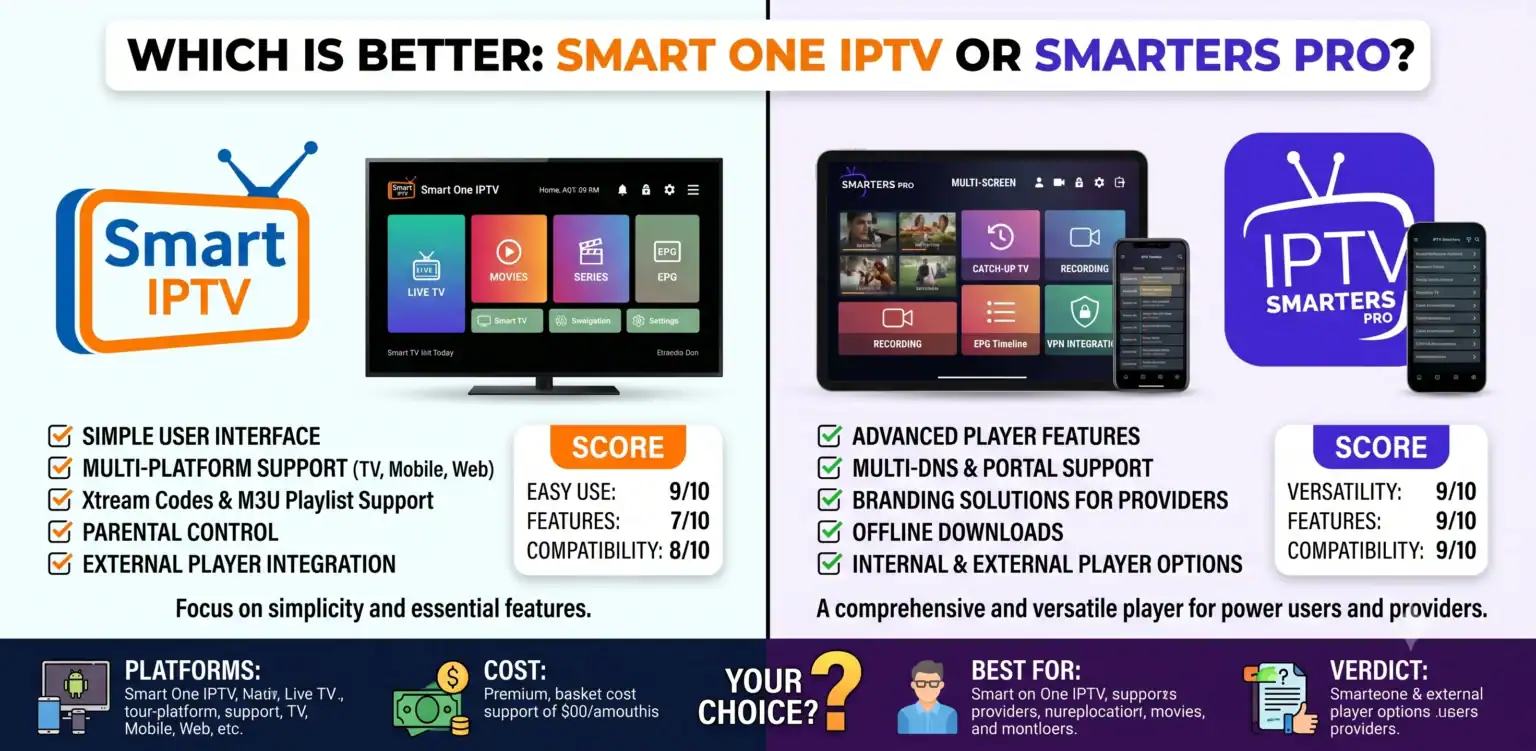
IPTV Smarters Pro: The Cross-Platform Giant
IPTV Smarters Pro is one of the most widely used IPTV-afspillere globally. Its biggest advantage in the streaming space is its unmatched cross-platform compatibility.
Universal Platform Support: The app runs identically on Amazon Firestick, Android TV, iOS (iPhone and iPad), Mac, Windows PC, and MAG set-top boxes.
Intuitive User Interface: It features a highly organized interface separating Live TV, Movies, and Series into distinct, browsable libraries. The VOD section cleanly sorts films by genre, year, and rating.
Premium Pro Features: Upgrading to the Pro version unlocks a redesigned multi-screen interface, external player support, parental controls, screen recording, and a highly optimized media engine that significantly improves buffering performance.
Flexible Integration: It natively accepts both standard M3U URLs and Xtream Codes API credentials, giving users total flexibility regardless of what their provider offers.
Smart One IPTV: The Smart TV Specialist
While Smarters Pro focuses on being everywhere, Smart One IPTV was built specifically to dominate the smart TV ecosystem, originally focusing on Samsung Tizen and LG WebOS before expanding its reach to Android TV platforms.
Heavy Playlist Handling: Smart One is engineered to manage massive playlists containing over 10,000 items without lagging, which solves a common memory-crashing issue found in other built-in Smart TV apps.
Device Centralization: A powerful, high-level feature allows users with multiple Smart TVs in a single household to upload and update their playlists centrally from one computer or smartphone via a web dashboard.
Fast Zapping: The player is highly optimized for extremely fast channel zapping and includes an advanced media player with precise play, pause, forward, and seek controls.
Activation Model: Unlike standard app subscriptions, Smart One utilizes a hardware-tied activation model linked directly to the television’s MAC address, offering users the choice between a lower-cost yearly subscription or a one-time lifetime license.
The Final Verdict: Which Should You Choose?
The decision ultimately comes down to the hardware you are currently using in your living room:
Choose IPTV Smarters Pro if: You manage a diverse ecosystem of devices. If you want to stream seamlessly on a Firestick in the living room, an iPhone on the train, and a Windows PC in the office using the exact same interface, Smarters Pro is the undisputed, clear choice.
Choose Smart One IPTV if: You are streaming directly through a Samsung or LG Smart TV and do not want to purchase an external Android box. Its ability to handle heavy M3U lists without crashing the television’s limited internal memory makes it the superior choice for native smart TV users.
Powering Your Player
Remember, neither Smart One IPTV nor IPTV Smarters Pro includes any live channels, sports broadcasts, or VOD content out of the box. They are strictly media players the engine of your setup and you still need to provide the fuel.
If you have selected your player and are ready to unlock premium 4K channels and an massive VOD library with zero buffering, you need a high-capacity server. Use our exclusive Promo Code at checkout to get the best possible rate on a stable, high-performance connection today.
 Danish
  English (United States)
  German
  Dutch
Dutch  English (UK)
  Norwegian
  Swedish