
Hvis du gerne vil gøre din Amazon Firestick til det ultimative mediecenter, er det nærmest et must at anskaffe en pålidelig IPTV-afspiller. Og når det gælder problemfri streaming af live-tv, film og serier, IPTV Smarters Pro ligger konsekvent øverst på listen.
Da denne specifikke app ikke længere findes som en indbygget app i Amazon Appstore, er du nødt til at “sideloade” den. »Sideloading« lyder meget mere teknisk, end det egentlig er. Det betyder blot, at vi skal bruge en anden app til at downloade installationsfilen.
Uanset om du bruger den nyeste Fire TV Stick 4K Max eller en ældre model, finder du her en præcis trin-for-trin-vejledning i, hvordan du downloader IPTV Smarters Pro på Firestick på blot et par minutter.
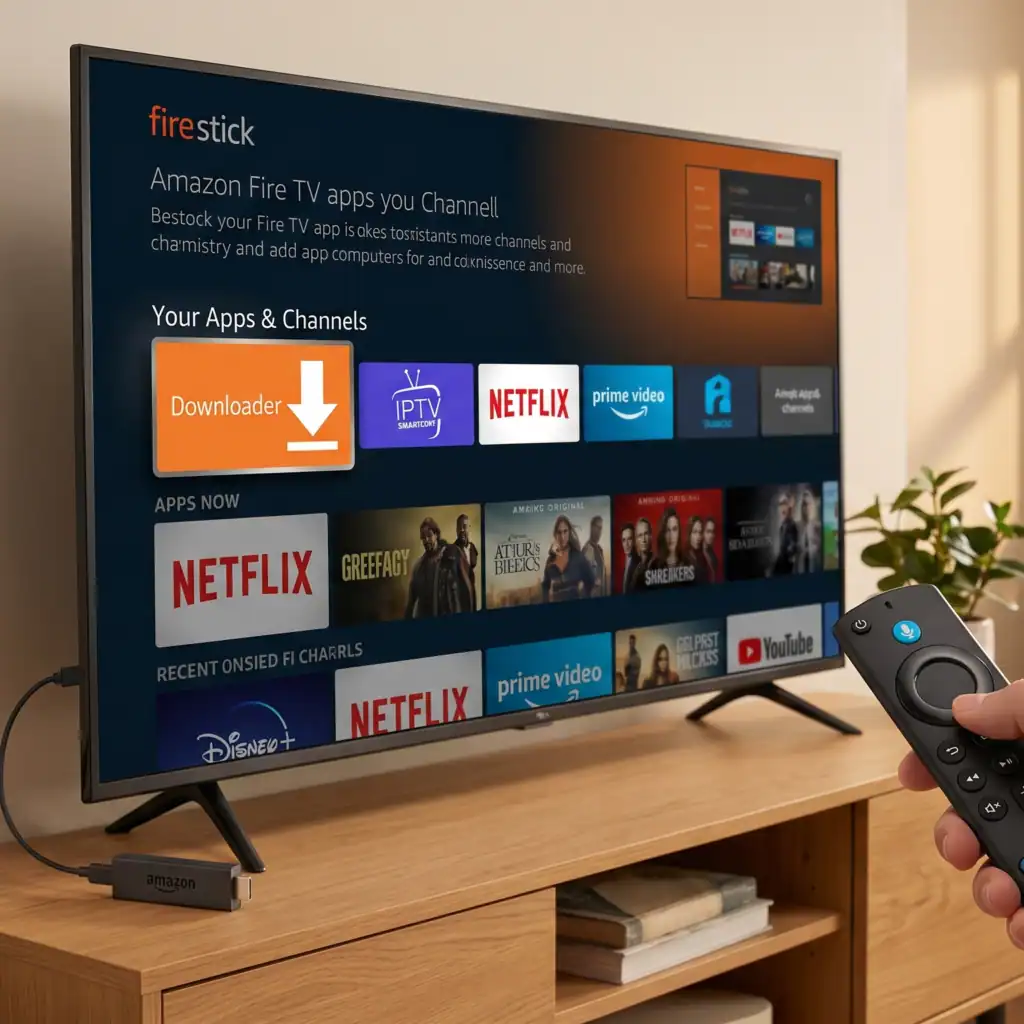
Fase 1: Forbered din Firestick til sideloading
Inden vi kan installere IPTV Smarters, skal vi hente appen “Downloader” og justere en skjult indstilling på din Firestick.
1. Hent Downloader-appen
Gå til din Firestick Startskærm.
Naviger til Find menuen og vælg Søg efter ikon.
Indtast Downloader.
Klik på det orange Downloader-ikon, der vises i søgeresultaterne.
Hit Download eller Få fat i for at installere det.
2. Aktiver udviklerindstillingerne
Amazon skjuler udviklerindstillingerne i de nyeste opdateringer til Fire OS. Her kan du se, hvordan du viser dem igen, så du kan installere apps fra tredjeparter:
Gå tilbage til Startskærm og klik på tandhjulsikonet for at åbne Indstillinger.
Hold musen over og vælg Mit Fire TV.
Klik på Omkring.
Markér den første mulighed (der står som regel navnet på din enhed, f.eks. Fire TV Stick 4K).
Tryk hurtigt 7 gange på den midterste funktionsknap på din fjernbetjening. Der vises en lille meddelelse nederst på skærmen, hvor der står:, “Ingen grund til det, du er allerede udvikler.”
Tryk én gang på tilbage-knappen på din fjernbetjening. Nu vil du se Muligheder for udviklere i menuen.
Åben Muligheder for udviklere, vælg Installer ukendte apps, og drej den TIL til Downloader-appen.
Fase 2: Installation af IPTV Smarters Pro
Nu hvor din Firestick er klar til at køre eksterne apps, er det utroligt nemt at downloade IPTV Smarters Pro.
Åbn den Downloader appen fra din startskærm (klik på “Tillad”, hvis den beder om tilladelse til at få adgang til dine filer).
Klik på URL-tekstfeltet til højre på skærmen.
Der vises et tastatur. Indtast det officielle downloadlink eller den specifikke kortkode, som du har fået fra din IPTV-udbyder. (Hvis du blot ønsker den officielle app, indtaster mange brugere den direkte URL: [mistænkeligt link fjernet]).
Klik på Gå.
Downloader-appen opretter automatisk forbindelse til serveren og begynder at downloade APK-fil.
Når downloadet er færdigt, vises en meddelelse. Klik på Installer.
Når programmet er installeret, skal du ikke åbne det endnu. Klik på Færdig.
Du bliver nu ført tilbage til Downloader-appen. Klik på Sletning og så Sletning igen. Dette fjerner den resterende installationsfil og frigør dermed værdifuld lagerplads på din Firestick.
Fase 3: Konfiguration af appen
Du har nu gennemført downloadet af IPTV Smarters Pro til Firestick. Nu er det tid til at logge ind.
Hold Home-knappen på fjernbetjeningen nede, og vælg Apps.
Rul ned til bunden af listen for at finde ikonet for IPTV Smarters Pro. (Pro-tip: Markér appen, tryk på menuknappen med de tre vandrette streger på fjernbetjeningen, og vælg “Flyt til forgrunden”, så den altid er nem at finde).
Åbn appen, og accepter brugsbetingelserne.
Vælg din enhedstype (vælg TV).
Du vil se et par forskellige muligheder for at logge ind. Den mest almindelige metode er Login med Xtream Codes API.
Indtast de loginoplysninger (navn, brugernavn, adgangskode og portal-URL), som du har modtaget fra din IPTV-udbyder.
Klik på Tilføj bruger.
Giv appen et par sekunder til at hente kanalerne, filmene og VOD indhold fra din udbyder, og så er du klar!
Et par ord om sikker streaming
Fordi IPTV-tjenester Få adgang til tusindvis af internationale kanaler, din internetudbyder (ISP) kan i nogle tilfælde forsøge at begrænse din forbindelse, hvis de registrerer stor streamingtrafik, hvilket kan medføre irriterende buffering.
For at sikre, at din streaming forløber problemfrit, og at din IP-adresse forbliver privat, anbefales det på det kraftigste at køre en VPN i baggrunden, mens du bruger IPTV Smarters på din Firestick. Du skal blot downloade en pålidelig VPN-app fra Amazon Appstore, oprette forbindelse til en server og åbne Smarters Pro.
Ofte stillede spørgsmål
Hvorfor findes IPTV Smarters Pro ikke i Amazon Appstore? Selvom appen i sig selv blot er en medieafspiller, fjerner Amazon ofte IPTV-afspillere fra deres butik på grund af ændrede interne retningslinjer. Sideloading via Downloader-appen er den gængse og sikre løsning.
Skal jeg betale for IPTV Smarters Pro? Selve appen er helt gratis at downloade og bruge. Den indeholder dog ikke noget indhold. Du skal have et aktivt abonnement hos en IPTV-udbyder for at se live-tv og film.
Fungerer denne metode på Firestick 4K Max og Fire TV Cube? Ja. Fremgangsmåden for installation af IPTV Smarters på Firestick er den samme på alle moderne Amazon Fire TV-enheder, herunder 4K Max, Lite og Fire TV Cube.
 Danish
  English (United States)
  German
  Dutch
Dutch  English (UK)
  Norwegian
  Swedish