
Hvis du har brugt lidt tid på at søge efter et alternativ til kabler på tech-fora eller Reddit, kender du allerede mønsteret. Du køber et IPTV-abonnement der lover 50.000 kanaler for en slik. Det fungerer fejlfrit i en uge, lige indtil et stort UFC-stævne eller en Premier League-kamp går i gang – og så forvandles streamingen til et uoverskueligt lysbilledshow.
At finde den bedste IPTV-tjeneste handler ikke om at jagte det største antal kanaler. En udbyder med 10.000 fungerende kanaler er uendeligt meget bedre end en med 60.000 døde links. Hvis du overvejer at sige farvel til kabel-tv i 2026, finder du her den ægte, ufiltrerede guide til, hvad der adskiller de førende netværk fra de midlertidige svindelnumre.
Virkeligheden bag premium-IPTV-udbydere
De fleste billige tjenester videresælger båndbredde fra de samme overbelastede servere. Når trafikken stiger kraftigt, oplever alle buffering. Den De bedste IPTV-udbydere i 2026 administrere deres egen bare-metal-serverinfrastruktur. Det betyder, at de har den nødvendige båndbredde til at håndtere tusindvis af samtidige brugere, uden at deres system går i stå.
Inden du betaler, bør du kigge efter udbydere, der udtrykkeligt reklamerer med “anti-freeze-teknologi” eller servere med belastningsfordeling. Det er også et stort advarselssignal, hvis en tjeneste tvinger dig til at indgå en 12-måneders kontrakt med det samme. Start altid med en 1-måneders prøveperiode for at teste serverstabiliteten i de travleste timer i weekenden.
4 ting, som enhver førsteklasses tjeneste skal have
Hvis en udbyder ikke opfylder disse fire kriterier, skal du fortsætte med at lede.
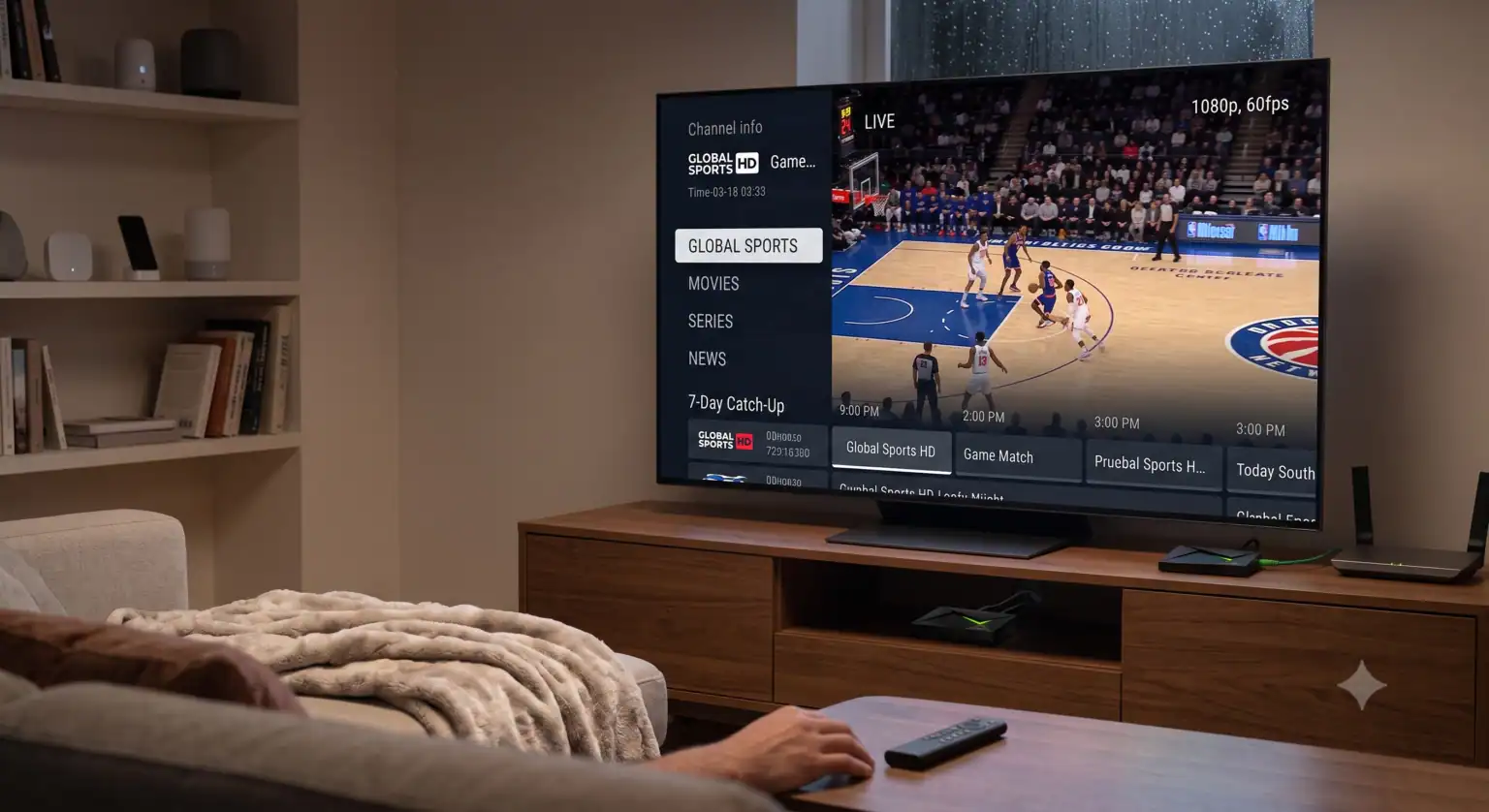
1. 60 FPS til IPTV-sportskanaler
Hvis du ser sport live, er billedfrekvensen vigtigere end opløsningen. En 1080p-stream med 60 billeder pr. sekund (fps) vil se markant bedre ud under en tempofyldt ishockeykamp eller et Formel 1-løb end en komprimeret, kunstig “4K”-stream, der kører med 30 fps. Bolden bør ikke ligne en sløret komet, der suser hen over skærmen.
2. En arbejdsdag EPG (Elektronisk programguide)
Der er intet mere frustrerende end at rulle gennem et gitter og se “Ingen oplysninger tilgængelige” på alle kanaler. En pålidelig udbyder opdaterer sine XMLTV-programoplysninger dagligt, hvilket betyder, at din tv-programoversigt på skærmen rent faktisk viser dig, hvad der bliver sendt, komplet med korrekte kanallogoer.
3. Organiseret VOD (Video on demand)
Mange udbydere behandler deres VOD-bibliotek som en kæmpe digital losseplads fyldt med lyd, der ikke er synkroniseret, og ødelagte links. Dette afsnit er sammensat af førsteklasses IPTV-netværk, der sorterer de nyeste film og tv-serier efter genre og IMDb-vurdering, hvilket gør det til et ægte alternativ til apps som Netflix eller Max.
4. 7 dage Catch-up TV
Catch-up er i bund og grund en cloud-baseret DVR. De bedste tjenester optager automatisk de største nyheds-, sports- og underholdningskanaler i en løbende 7-dages cyklus. Hvis du går glip af en live-udsendelse, kan du blot rulle tilbage i din tidslinje og trykke på afspil.
Opsætning af enheden: Sådan får du mest muligt ud af din stream
Din streaming-hardware og -software har lige så stor indflydelse på din oplevelse som udbyderen. Hvis du nøjes med den indbyggede webbrowser på et billigt smart-tv, er du garanteret forsinkelser i menuerne.
Opsætning af IPTV til Firestick og Android TV
Amazon Firestick 4K Max og NVIDIA Shield Pro-modellerne er i øjeblikket den gyldne standard inden for streaming-enheder. De er udstyret med dedikerede videoprocessorer, der afkoder streams med høj bithastighed uden at belaste systemets hukommelse.
For at kunne drive din tjeneste skal du have en app til professionelle spillere.
TiviMate: Den ubestridte sværvægter inden for Android og Fire OS. Den håndterer enorme kanallister uden problemer og byder på den brugerflade, der minder mest om kabel-tv.
IPTV Smarters Pro: Perfekt, hvis du har brug for en platformuafhængig app, der fungerer problemfrit på iOS, Apple TV og Android.
Xtream Codes API kontra rå M3U-links
Når du køb et IPTV-abonnement, vil udbyderen som regel sende dig dine loginoplysninger. Når det er muligt, skal du bruge Xtream-koder API login-metode (som består af en værts-URL, et brugernavn og en adgangskode) i stedet for et direkte M3U-link.
Et M3U-link tvinger din enhed til at downloade en enorm tekstfil, der indeholder hver eneste kanal, direkte til RAM-hukommelsen på én gang. Xtream API’et er dynamisk – det henter kun data for den specifikke kategori, du åbner, hvilket sikrer, at din app kører lynhurtigt.
Har du brug for en VPN?
Ja, og ikke kun af hensyn til privatlivets fred. Mange internetudbydere (ISP’er) begrænser aktivt streamingtrafikken under begivenheder med stor trafik. Hvis din stream begynder at buffe præcis kl. 20.00 en lørdag, er det sandsynligvis din internetudbyder, der skaber en flaskehals i din forbindelse.
Når du bruger et højhastigheds-VPN, krypteres din datatrafik. For din internetudbyder ser din stream blot ud som almindelige, sikre webdata, hvilket betyder, at den fuldstændigt omgår udbyderens automatiske hastighedsbegrænsninger. Sørg for, at den IPTV-udbyder, du vælger, er “VPN-venlig” og ikke IP-låser din konto til en bestemt placering.
Ofte stillede spørgsmål
Hvilken internethastighed skal jeg have for at kunne streame 4K? For at opnå ægte 4K-streaming uden komprimeringsfejl skal du have en stabil downloadhastighed på mindst 25–30 Mbps. Til standard 1080p HD er 15 Mbps normalt tilstrækkeligt. Husk at tilslutte din enhed via et Ethernet-kabel, hvis det er muligt – udfald i Wi-Fi-forbindelsen er den hyppigste årsag til mikrohak.
Er gratis IPTV-prøveabonnementer pengene værd? Ja, men brug dem strategisk. Aktiver din 24-timers prøveperiode på en lørdag eller søndag. Hvis tjenesten kommer til at bryde sammen under presset, vil det ske i forbindelse med weekendens sportstrafik, ikke en tirsdag formiddag.
Kan jeg bruge ét abonnement på flere tv-apparater? Det afhænger af udbyderen. De fleste basisabonnementer tillader én samtidig forbindelse. Hvis du forsøger at bruge tjenesten på både dit tv i stuen og din smartphone på nøjagtig samme tid, vil serveren blokere den ene enhed. Hvis du har flere tv’er i husstanden, bør du kigge efter udbydere, der tilbyder pakker med to eller flere forbindelser.
 Danish
  English (United States)
  German
  Dutch
Dutch  English (UK)
  Norwegian
  Swedish