
Building the ultimate home media center is the dream of every cord-cutter, but in 2026, the landscape has shifted. We are no longer just choosing between “owning files” and “streaming TV.” We are choosing between two entirely different philosophies of digital entertainment.
As a veteran of the self-hosted media scene who has spent the last decade testing every NAS configuration, server build, and streaming protocol, I’ve seen the “best” choice evolve. This year, the debate is more nuanced than ever.
In this guide, we’re breaking down the Plex vs. IPTV showdown to help you decide which setup deserves the crown in your living room.
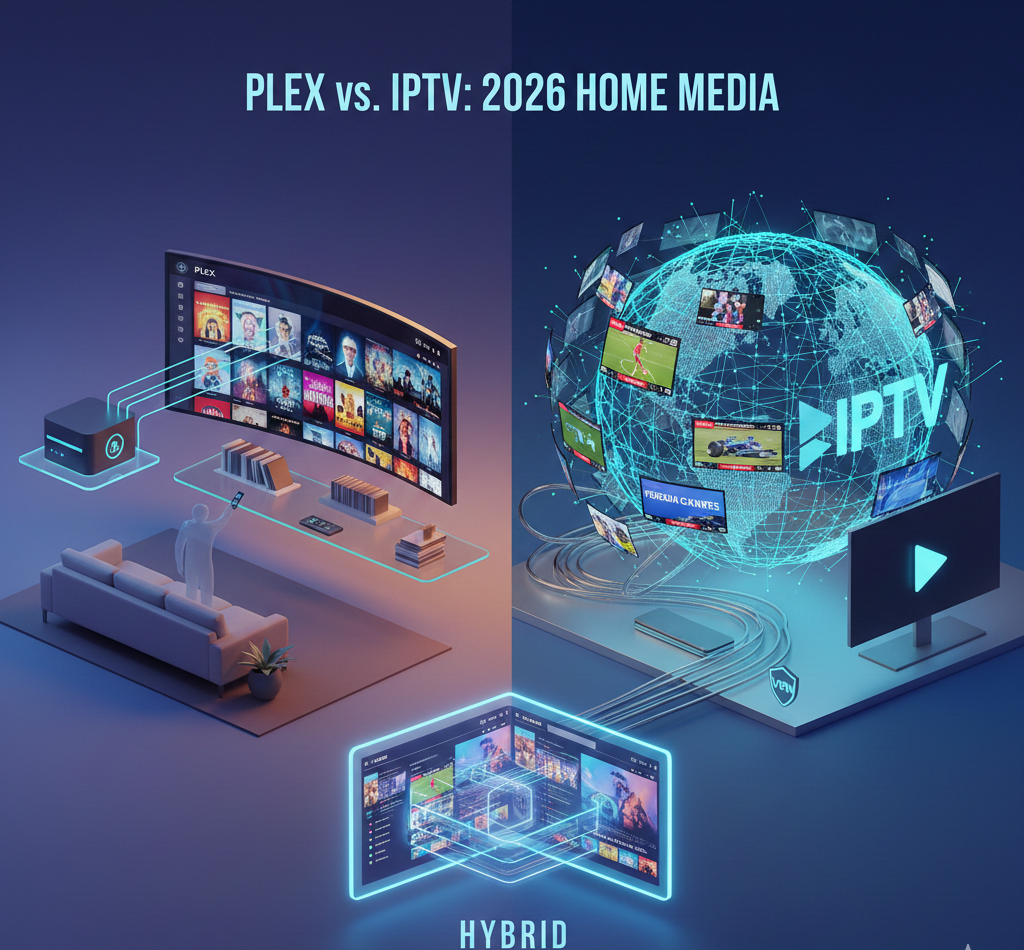
What Exactly is Plex in 2026? (The Personal Cloud)
Plex Media Server remains the gold standard for personal media hosting. It is a server-client software that you install on a PC, a dedicated Mini-PC (like the Intel N100 series), eller en NAS (Network Attached Storage). You point it at your hard drives full of 4K Blu-ray REMUX rips, family videos, and FLAC music, and Plex automatically organizes them with cinematic metadata and cross-device syncing.
The Vibe: Premium, polished, and private.
The 2026 Update: Plex now features “AI-Curation,” which suggests movies from your local library based on your mood and trending global data.
The Cost: The basic server is free. However, the Plex Pass (Lifetime for $249) or the new Remote Watch Pass ($1.99/mo) is essentially required for hardware transcoding and remote streaming.
What Exactly is IPTV in 2026? (The Live TV Giant)
IPTV (Internet Protocol Television) delivers live TV channels over your internet connection using M3U-spellistor eller Xtream Koder. Gone are the days of pixelated, buffering streams. The 2026 IPTV era is defined by enterprise-grade CDNs och 8K feeds that rival traditional cable.
The Vibe: Cable TV on steroids thousands of global channels and every sports package imaginable.
The 2026 Update: Premium providers now use AI-driven pre-loading to eliminate buffering and offer unified search that scans both live TV and VOD (Video on Demand) libraries simultaneously.
The Cost: Subscriptions generally range from $10–$25/month. You’ll also want a high-end player like TiViMate eller OTT Navigator.
The Comparison: Head-to-Head
Funktion | Plex Media Server | IPTV-tjänster |
|---|---|---|
Content Origin | Local Hard Drives (SATA/NVMe) | Cloud-based Live Streams |
Visual Quality | Superior (Lossless 4K HDR10+/Atmos) | Hög (Compressed 4K/60fps) |
Tillförlitlighet | 100% (Works on Local Network) | 98% (Dependent on Provider Uptime) |
Live Sports | Weak (Requires OTA Tuner/Antenna) | King (Global PPV, NFL, UCL) |
Hardware | Needs a Server (QuickSync PC/NAS) | Just a Firestick or Apple TV |
Ownership | True Ownership (You keep the files) | Rental Model (Access can vanish) |
Why You Should Choose Plex
If you are a Media Archivist, Plex is your only real choice.
Bitrate and Fidelity: A 4K REMUX file played from a local Plex server has a bitrate of 80-120 Mbps. An IPTV “4K” stream is usually 15-25 Mbps. For those with OLED displays and dedicated Home Theater sound systems, the difference is night and day.
Privacy & Data Control: Your library is yours. No streaming service or licensing dispute can “delete” a movie from your hard drive.
Offline Capability: If your ISP goes down, your Plex server keeps spinning. It’s the ultimate “prepper” media setup for local network streaming.
Why You Should Choose IPTV
If you are a Live Content Junkie, är IPTV den klara vinnaren.
The Sports Problem: Plex is notoriously difficult for sports. IPTV gives you NFL Sunday Ticket, Premier League, F1, och PPV Evenemang in one interface for a fraction of the cost of official apps.
Zero Maintenance: You don’t need to worry about RAID configurations, failing hard drives, or server cooling. You just log in and watch.
Global Content Variety: Want to watch local news from London or a cricket match from Sydney? IPTV makes the world’s television accessible through Electronic Program Guides (EPG).
The "God-Tier" Setup: The Hybrid Build
In 2026, pros have stopped choosing sides. The ultimate setup is integrating your IPTV subscription into Plex using a proxy tool like Threadfin (the modern successor to xTeVe).
By bridging the two, you can:
Use the beautiful Plex UI to surf your IPTV channels.
Användning Plex DVR to record live IPTV sports directly to your local storage.
Manage one single app for your entire home entertainment system.
FAQ: Common Questions for 2026
Is IPTV legal in 2026?
The technology itself (IPTV) is perfectly legal. However, the legality of specific providers depends on whether they hold the licenses for the content. We always recommend using verified, legal services.
Do I need a VPN for Plex or IPTV?
For Plex, a VPN is usually only needed for remote privacy. For IPTV, a VPN is mandatory to prevent ISP Strypning (where your internet provider slows down your video stream) and to protect your digital footprint.
What is the best media player for 2026?
Den NVIDIA Shield Pro remains the king for Plex due to TrueHD Atmos passthrough. For IPTV, the Amazon Fire TV Stick 4K Max och Apple TV 4K are the most popular choices for stability and app support.
Slutgiltigt domslut
Choose Plex if: You value lossless 4K-kvalitet, own a large digital collection, and want a private, permanent library.
Choose IPTV if: You are a sports fan who wants to save hundreds on cable and “big-name” streaming subscriptions.
What’s your current setup? Are you team “Local Storage” or team “Live Stream”? Drop a comment below and let’s talk shop.
 Swedish
  English (United States)
  German
  Dutch
Dutch  Danish
  English (UK)
  English (Australia)
  English (New Zealand)
  Norwegian