
Confused by your login email? You’re not alone.
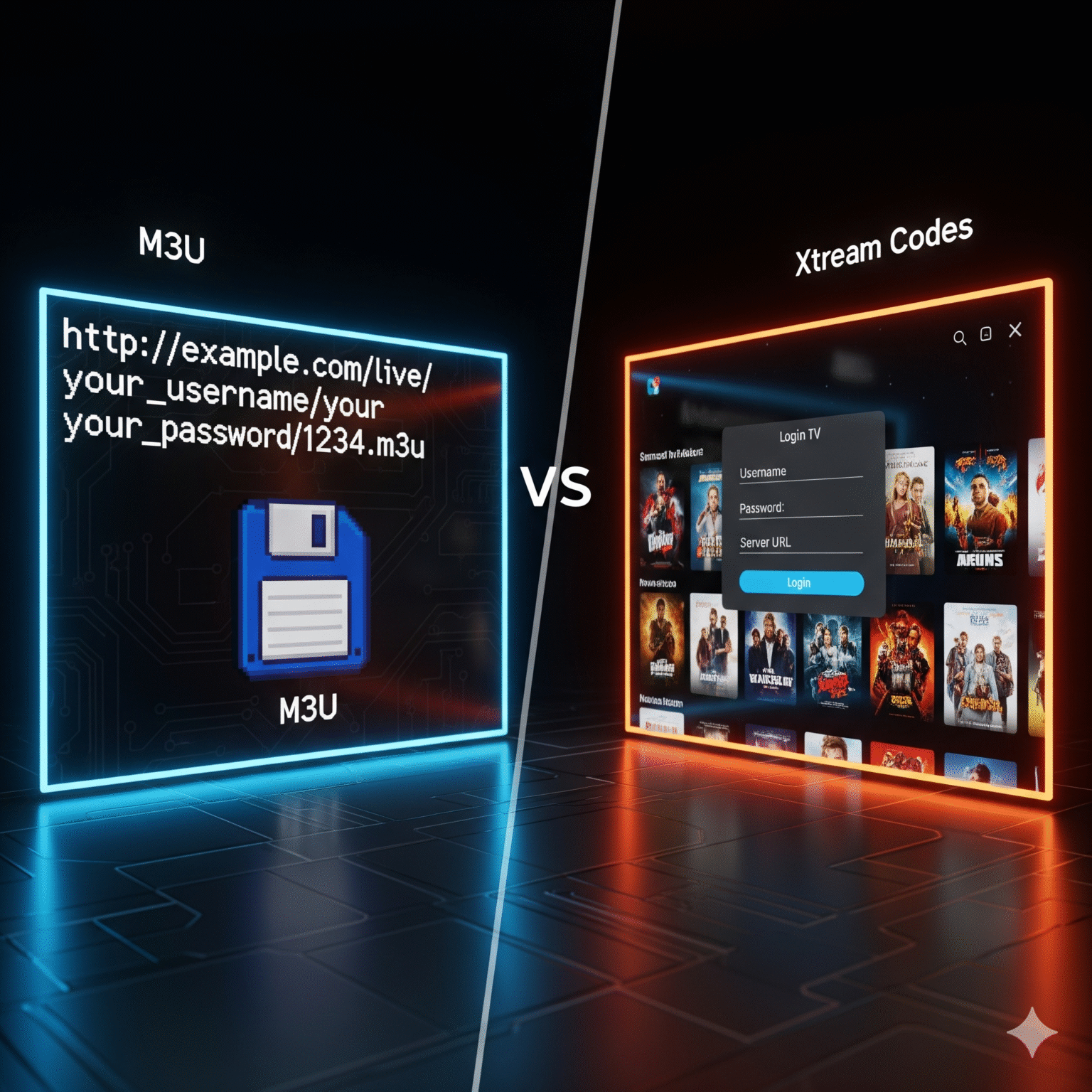
When you sign up for a premium IPTV service, you typically receive an email packed with different URLs, usernames, and passwords. It can look overwhelming. The two biggest options you’ll see are M3U-afspeellijst URLs en Xtream-codes API.
As your provider, we want you to have the smoothest streaming experience possible. The login method you choose directly affects how fast your channels load, whether your TV guide works, and how easy it is to watch movies.
Here is the definitive breakdown on which one you should use.
The "Too Long; Didn't Read" Verdict
🏆 Best Choice (99% of Users): Xtream Codes API Use this if you have a Fire Stick, Android TV, or Nvidia Shield. It creates a “Netflix-style” interface with posters, descriptions, and a working TV guide. It’s faster, cleaner, and easier to type.
🥈 Backup Choice: M3U Playlist Use this alleen if your app doesn’t support Xtream Codes (like VLC on a PC) or if you are using an older device.
What is the Xtream Codes API? (The "Smart" Way)
Think of Xtream Codes as a Smart Key.
Instead of downloading a massive file, your app simply uses a Server URL, Username, and Password to “talk” to our servers. It asks for exactly what you need, when you need it.
Why we recommend it:
Zero Typing Errors: You only type our short server URL (e.g.,
http://our-server.com) plus your username and password. No more typing 60-character links with a clumsy TV remote.Instant EPG (TV Guide): The API automatically pulls the correct program guide for every channel. You don’t need to fiddle with separate XMLTV links.
Netflix-Style VOD: Movies and Series are sorted into beautiful categories with cover art, ratings, and cast info. Series are grouped by Season and Episode, rather than a messy list of 1,000 files.
Faster Updates: If we add a new channel or fix a stream, you see it instantly the next time you log in.
Works best with: TiviMate, IPTV Smarters Pro, XCIPTV, Televizo, IMPlayer.
What is an M3U Playlist? (The "Old School" Way)
Think of an M3U Playlist as a Paper Map.
It is a single, extremely long link that looks like this: http://line.iptvdomain.com/get.php?username=user1&password=pass1&type=m3u_plus
When you put this into your player, it downloads a massive text file containing every single channel and movie we offer.
The Downsides:
Slow Loading: Your device has to download and process a heavy file every time you open the app. On slower devices, this causes lag.
Messy Library: Without the API structure, TV Series often appear as hundreds of unorganized video files.
No Native EPG: Often, the M3U link only gives you the video. You have to manually add a second link for the TV Guide.
When to use it:
You are using VLC-mediaspeler on a computer.
You are using an older Smart TV app (like SIPTV) that requires you to upload a playlist via a website.
You are using a playlist editor to remove channels you don’t watch.
Feature Showdown
Functie | ❌ M3U Playlist | ✅ Xtream Codes API |
|---|---|---|
Setup Speed | Slow & Frustrating. Requires typing long, complex URLs. | Fast. Short URL, Username, Password. |
Buffering/Lag | Higher Risk. Heavy playlist files can slow down low-end devices. | Optimized. The app fetches data efficiently, keeping the menu snappy. |
TV Guide (EPG) | Difficult. Often requires a separate setup or link. | Automatic. Syncs instantly upon login. |
Films & Series | Cluttered. Hard to navigate large libraries. | Organized. Full metadata, posters, and season folders. |
Inhaaltelevisie | Rare. Most players can’t read catch-up tags from M3U. | Native. If available, catch-up works out of the box. |
Definitieve aanbeveling
If you want to spend less time setting up and more time watching:
Downloaden IPTV Smarters of TiviMate on your device.
Selecteer "Inloggen met Xtream Codes API"..
Enter the details found in your welcome email.
Ready to upgrade your experience? Check your email for your Xtream Codes login credentials and start watching in HD today.
 Dutch
Dutch  English (United States)
  German
  Swedish
  Danish
  English (UK)
  English (Australia)
  English (New Zealand)
  Norwegian