
You have installed the app, linked your MAC address, and uploaded your playlist. But when you sit down to watch, you are met with a spinning circle, freezing video, or a massive “Loading Timeout” error.
It is incredibly frustrating, but before you uninstall everything, you need to understand where the problem actually lives. If you are dealing with a smart one iptv failed to load error on your screen, or you just want to completely fix iptv bufring smart one issues, here is exactly how to troubleshoot and resolve the most common streaming roadblocks.
The "Loading Timeout" Error
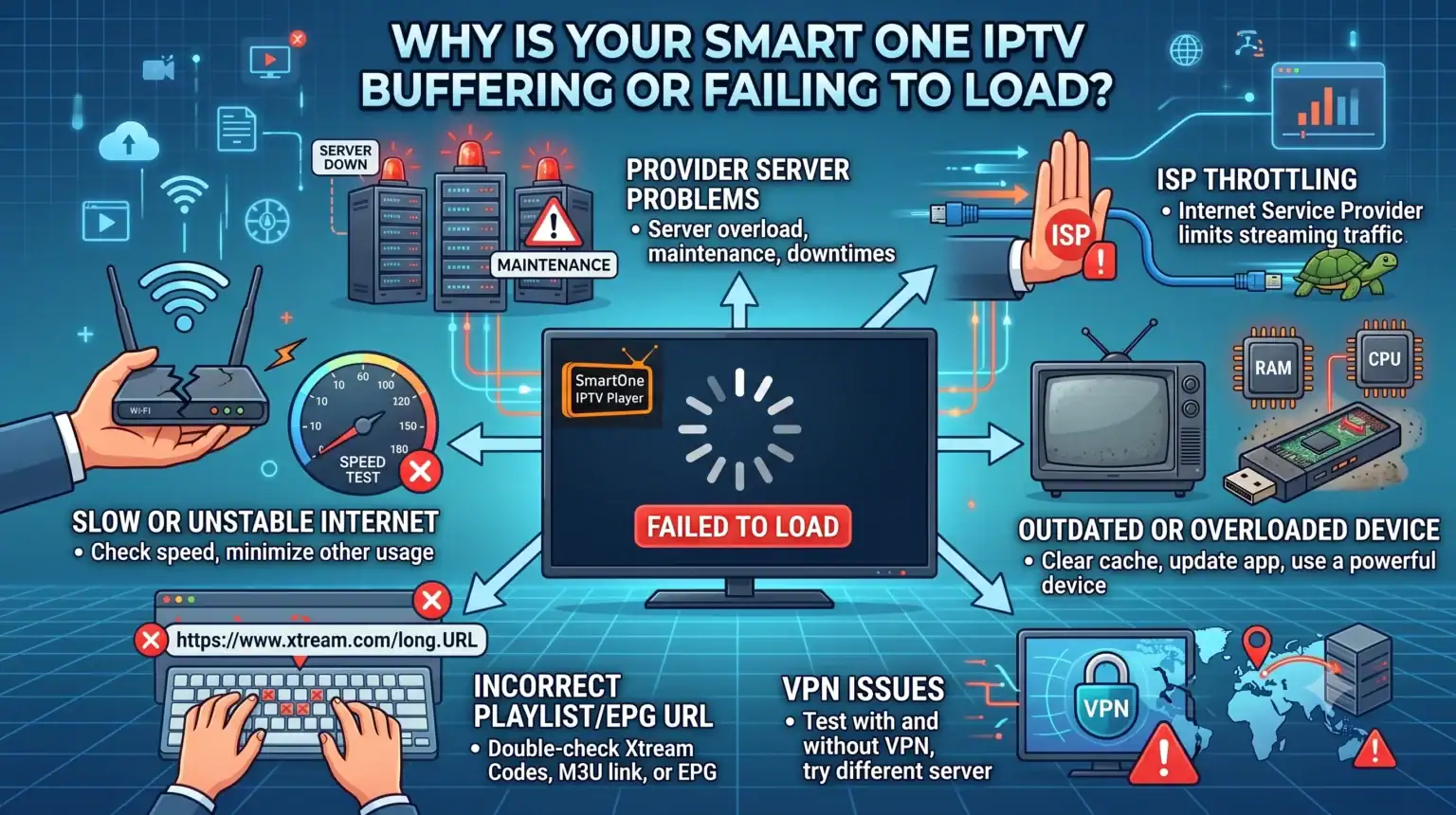
When Smart One displays a loading timeout error, it usually means the application cannot communicate with your provider’s server. The error shown on your Smart-TV is related to the internet connection or a communication error, and has nothing to do with the Smart One application itself.
Here is how to fix it:
Kontroller internettforbindelsen din: It sounds basic, but smart TVs frequently drop their Wi-Fi connections. A standard first step to resolve this loading timeout error is to reboot your router, power your TV off and on, and then reload the application.
Verify Your Playlist: Providers frequently update their servers. Try testing the demo content first to see if it is working for you; to get the demo content, just reset the Smart One IPTV-applikasjon and do not add any playlist to the TV. If the demo works, the application is functioning correctly. Also, make sure all your stream links work and are not dead.
ISP and Geo-Blocking: This is a very common culprit. Some providers block specific countries, ISPs, or user-agents. Additionally, many ISPs actively throttle IPTV traffic, especially during big sporting events. If your stream only buffers during major games or prime time, your ISP might be the culprit, and you will need to use a reliable VPN to encrypt your traffic so your ISP cannot see what you are streaming.
How to Fix IPTV Buffering on Smart One
If your channels load but constantly stutter or freeze, you likely have a bandwidth or hardware issue. Try these network and hardware tweaks to smooth out your stream:
Glem Wi-Fi: IPTV requires a constant, uninterrupted stream of data, and Wi-Fi is prone to interference from walls, microwaves, and neighbors. If you can, hardwire your device with an Ethernet cable.
Change Your DNS: Your default ISP DNS routing might be slow. Try changing the DNS settings on your streaming device or router to Cloudflare (1.1.1.1) or Google (8.8.8.8).
Clear the Cache: Streaming apps build up massive cache files that bog down the limited memory on devices. Go into your television or streaming device’s main settings menu, find your apps, select your media player, and clear the cache.
When It Is Actually Your Provider's Fault
If you have a hardwired connection, a VPN running, a clean device, and it is still buffering, it is likely your provider’s servers are overloaded. Cheap providers cram too many users onto inadequate servers, which inevitably collapse under demand during peak viewing hours.
If you are tired of constantly troubleshooting and just want a service that works, it is time to upgrade. Check out our list of premium, high-capacity servers designed to handle massive traffic without dropping frames. Apply our exclusive Promo Code at checkout to get a stable, buffer-free connection today.
 Norwegian
  English (United States)
  German
  Dutch
Dutch  Danish
  English (UK)
  Swedish