
When you buy a premium service, your provider usually hands you two options to load your channels: a long M3U playlist URL or an Xtream Codes API login (consisting of a server URL, username, and password).
If you are trying to configure the best IPTV player for firestick or looking for a step-by-step TiviMate setup guide, you might be wondering: Does it actually matter which one I choose? Will one give me a more stable stream or a better Electronic Program Guide (EPG)?
The short answer is yes, it matters immensely. While both formats deliver the same live TV channels, movies, and TV series, the way they handle data behind the scenes drastically changes your viewing experience. Let’s break down the technical differences so you can get an IPTV buffering fix before you even start streaming.
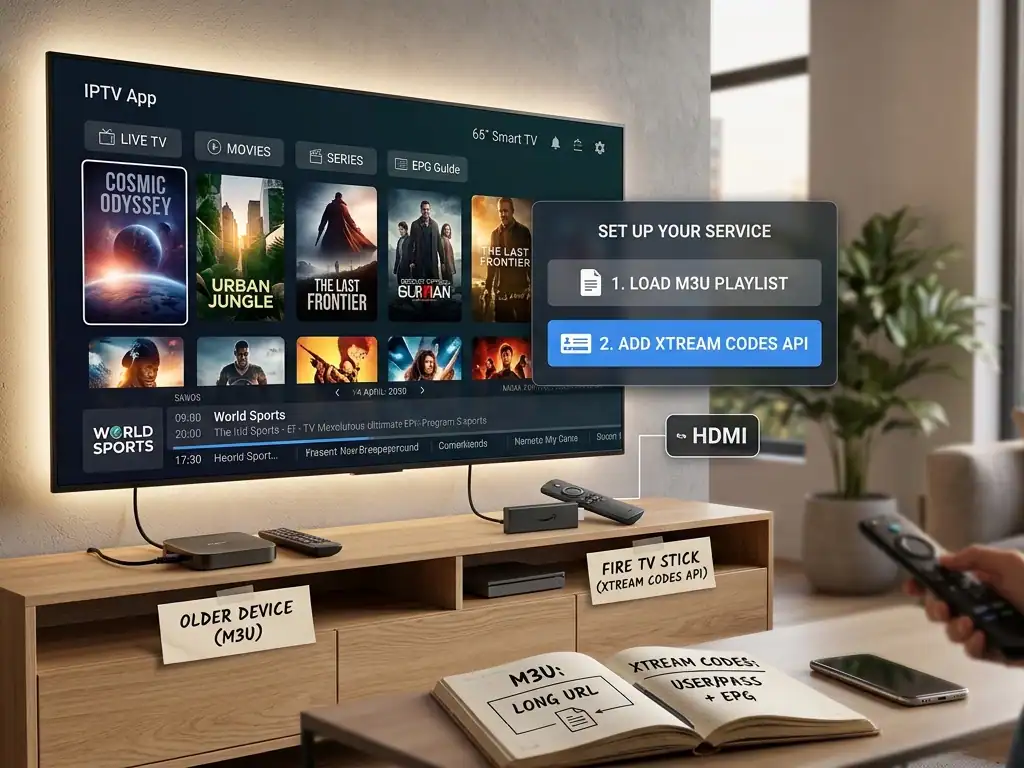
What is an M3U Playlist URL?
An M3U (or M3U8) file is essentially a plain-text index document. Think of it as a massive shopping list for your media player. It doesn’t contain any actual video data; instead, it contains text-based lines of code that tell your app exactly where to find the stream on the web.
A standard M3U playlist URL string looks something like this: [http://example-server.com:8080/get.php?username=YOUR_USER&password=YOUR_PASSWORD&type=m3u_plus&output=ts]
The Major Drawbacks of M3U:
The “Wall of Text” Problem: When your app loads an M3U link, it has to download the entire text file all at once. If your provider offers 20,000+ live channels and a massive Video on Demand (VOD) library, this file becomes huge. On lower-end hardware like older Firesticks, parsing this massive file causes apps to freeze, crash, or run out of memory.
Manual EPG Syncing: M3U playlists do not automatically include your TV guide. To see what’s playing next, you usually have to manually hunt down and copy a secondary, separate XMLTV URL into your settings.
VOD and Series Layout: M3U links struggle heavily with organizing TV series. Because everything is packed into one raw text list, your player has to guess how to categorize different seasons and episodes based purely on file extensions.
Why Use the Xtream Codes API Login?
Instead of forcing your device to read a massive static list, the Xtream Codes API turns the process into a smart, two-way conversation. An API (Application Programming Interface) allows your app to talk directly to your provider’s database server using a simple login:
Server URL (e.g, http://example-server.com:8080)
Username
Password
Instead of downloading everything in one giant chunk, your app requests data sequentially. When you click on “Live TV,” it asks the server for the live TV categories. When you click on a specific channel, it fetches just that specific stream.
Why Xtream Codes Beats M3U for Modern Setups:
Flawless EPG Integration: You don’t need to hunt down a separate XMLTV link. The moment you input your Xtream Codes credentials, the API automatically syncs and populates the Electronic Program Guide.
Perfect VOD & Series Organization: Xtream Codes handles metadata beautifully. It uses JSON data format to pull structural information directly from the server. This means your movies and TV shows will be neatly sorted into posters, descriptions, categories, seasons, and episodes giving you a clean, Netflix-style user interface.
Faster Loading and Less Buffering: Because your device isn’t drowning in megabytes of raw text data, apps load instantly. It saves your streaming device’s RAM, which acts as an immediate IPTV buffering fix for laggy apps.
App Compatibility: TiviMate Setup vs IPTV Smarters Pro Setup
Your choice between these two formats often depends heavily on the specific software you use.
1. IPTV Smarters Pro Setup
If you are running an IPTV Smarters Pro setup on an Android box or Smart TV, the app actively pushes you toward the API. The primary login screen features a massive button labeled “Login with Xtream Codes API”. While it can accept an M3U link, using the API option yields a drastically faster interface and prevents the app from crashing while importing data.
2. TiviMate Setup
For advanced users executing a TiviMate setup on a Firestick, TiviMate handles both formats exceptionally well. However, because TiviMate is highly customizable, using Xtream Codes saves you the massive headache of having to manually map your channel playlists to external EPG sources. It links them flawlessly out of the box.
Direct Comparison: At a Glance
| Feature | M3U Playlist URL | Xtream Codes API |
| Login Method | One long, complex URL string | Server URL, User, & Password |
| TV Guide (EPG) | Requires a separate XMLTV URL | Built-in / Automatic sync |
| VOD & Series | Poorly organized, hard to navigate | Perfectly structured (Seasons/Episodes) |
| Device Performance | Can cause app crashes on low-RAM devices | Lightweight, fast, memory-efficient |
| Security Risk | Credentials exposed entirely inside the URL | Handled securely via backend query |
Security Aspect: Is Your Login Safe?
A subtle but critical difference between these two protocols lies in security.
If you look closely at a standard M3U text link, your private username and password are typed out in completely plain text right in the middle of the URL string. If you use a third-party, web-based playlist editor to hide channels you don’t watch, you are uploading your raw, unencrypted login details directly to their servers.
With the Xtream Codes API, your credentials are segmented. The app securely passes your login data straight to the server endpoint without exposing a long, shareable string in plain sight, offering a cleaner layer of privacy.
The Verdict: Which One Should You Use?
While an M3U playlist URL is highly compatible and can be a great fallback option for older legacy applications or players like VLC media player on a PC, it simply cannot keep up with modern streaming demands.
If your chosen application supports it, always choose the Xtream Codes login option. It is much faster to type into a remote control, automatically configures your EPG, organizes your movies and series flawlessly, and preserves your streaming device’s memory to ensure a smooth, buffer-free viewing experience.
 English (United States)
  German
  Dutch
Dutch  Danish
  English (UK)
  Norwegian
  Swedish