
Are you looking for the best IPTV player for FireStick to replace your laggy, crashing apps? If you want to cut the cord and stream live TV, sports, and movies without buffering, you need the right tool.
Indtast Shadow TV Premium.
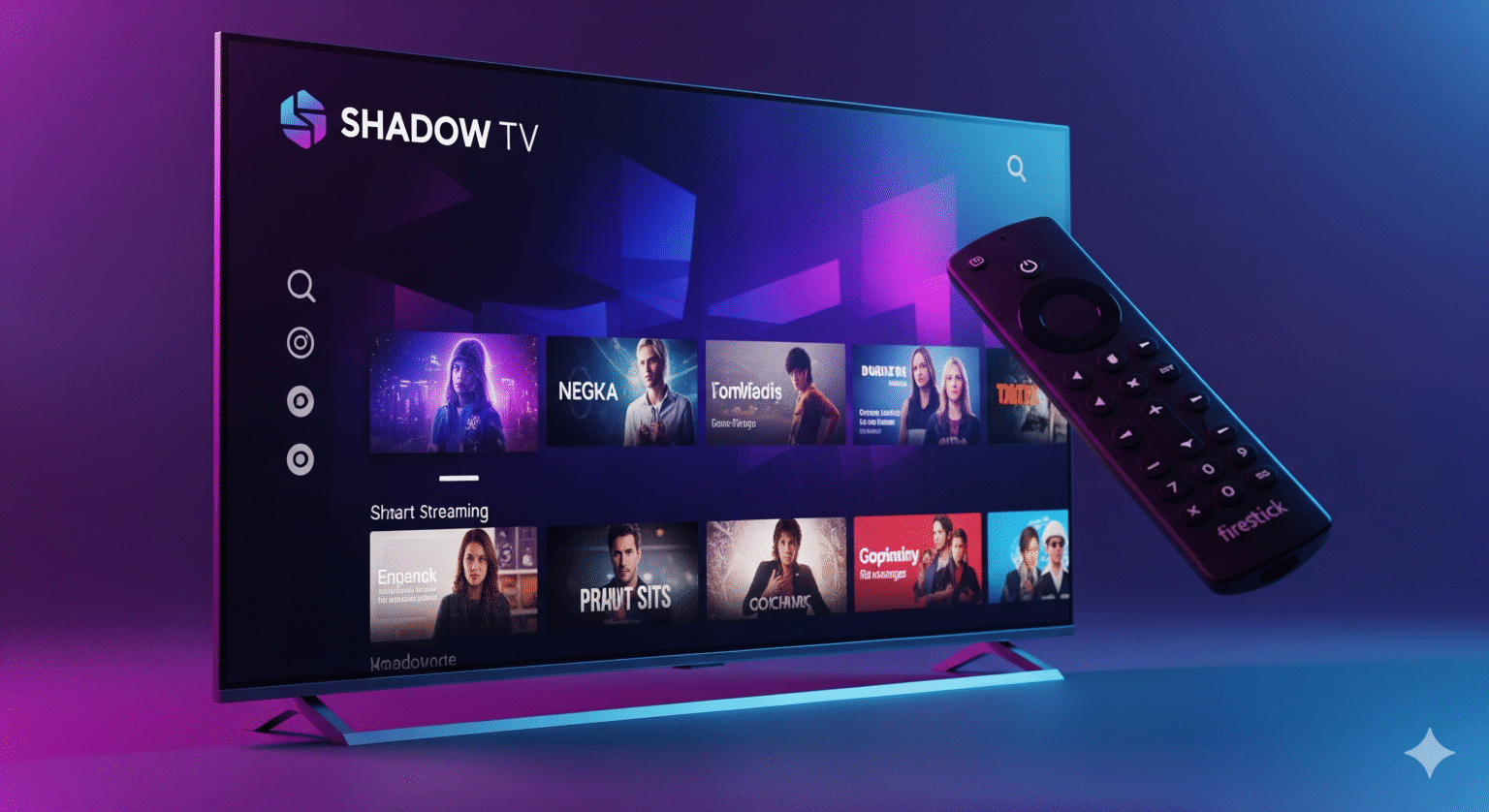
Shadow TV is rapidly becoming the go-to choice for streaming enthusiasts in 2025. Unlike bloatware-filled alternatives, it offers Anti-frostvæske Teknologi, full EPG (Elektronisk programguide) support, and seamless integration with Xtream Koder.
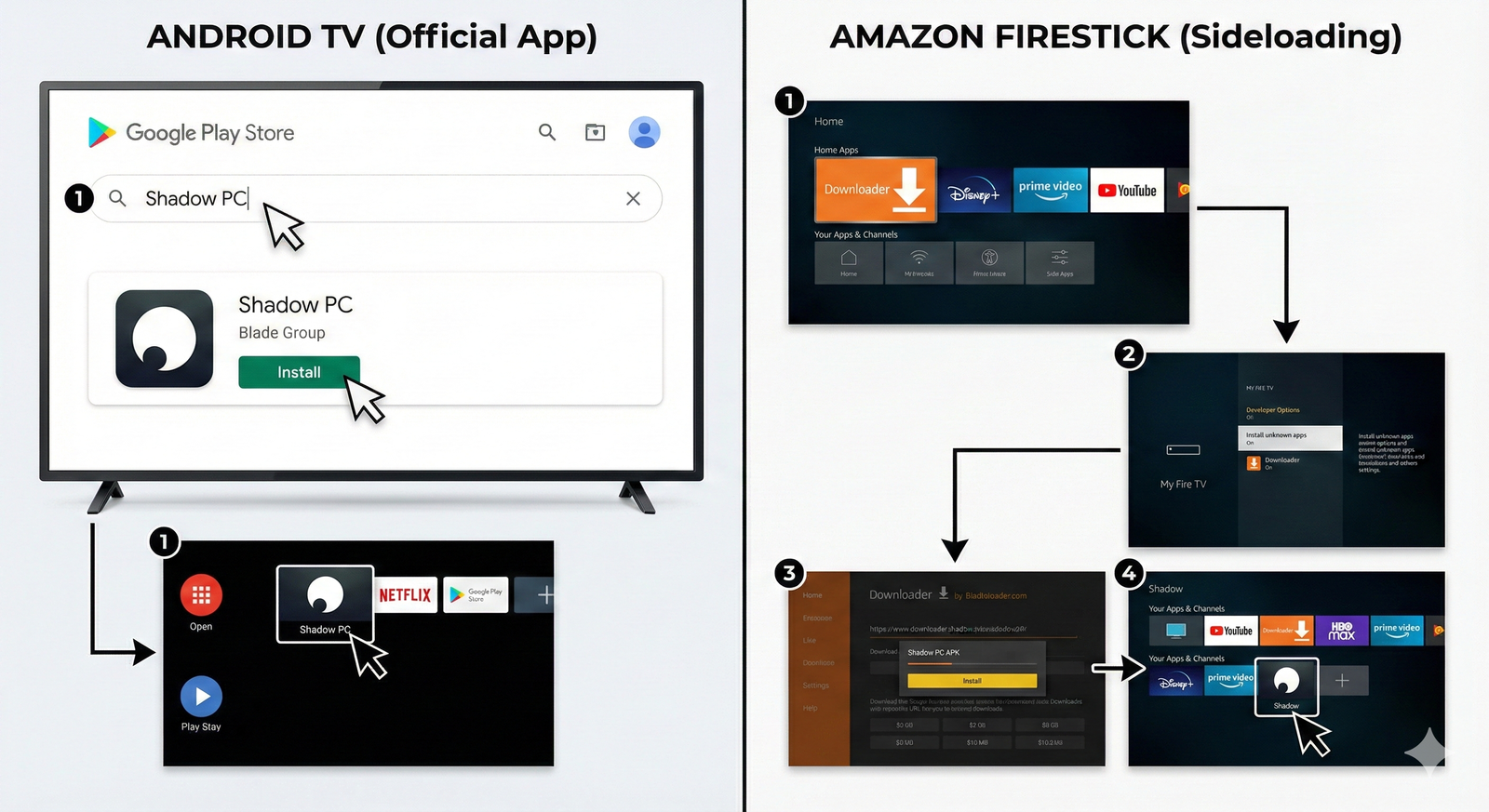
However, because this is a third-party application, you won’t find it on the Amazon App Store. To use it, you must sideload the APK. In this guide, I will walk you through the exact step-by-step process to download and install Shadow TV on Fire TV Stick 4K, Fire TV Max, Fire TV Cubeog Android TV boxes like the Nvidia Shield Pro.
Critical Step: Protect Your Stream
Read this before proceeding. When you use third-party IPTV players and M3U-afspilningslister, your activity is visible to your ISP (Internet Service Provider). ISPs are known to aggressively throttle connection speeds when they detect streaming traffic.
The Symptom: Your internet is fast, but your channels are constantly buffering or looping.
The Fix: Use a trustworthy VPN for FireStick.
A VPN encrypts your traffic, making your streaming activity invisible to your ISP, preventing throttling, and allowing you to unblock geo-restricted content.
Method 1: How to Sideload Shadow TV on FireStick (Downloader Method)
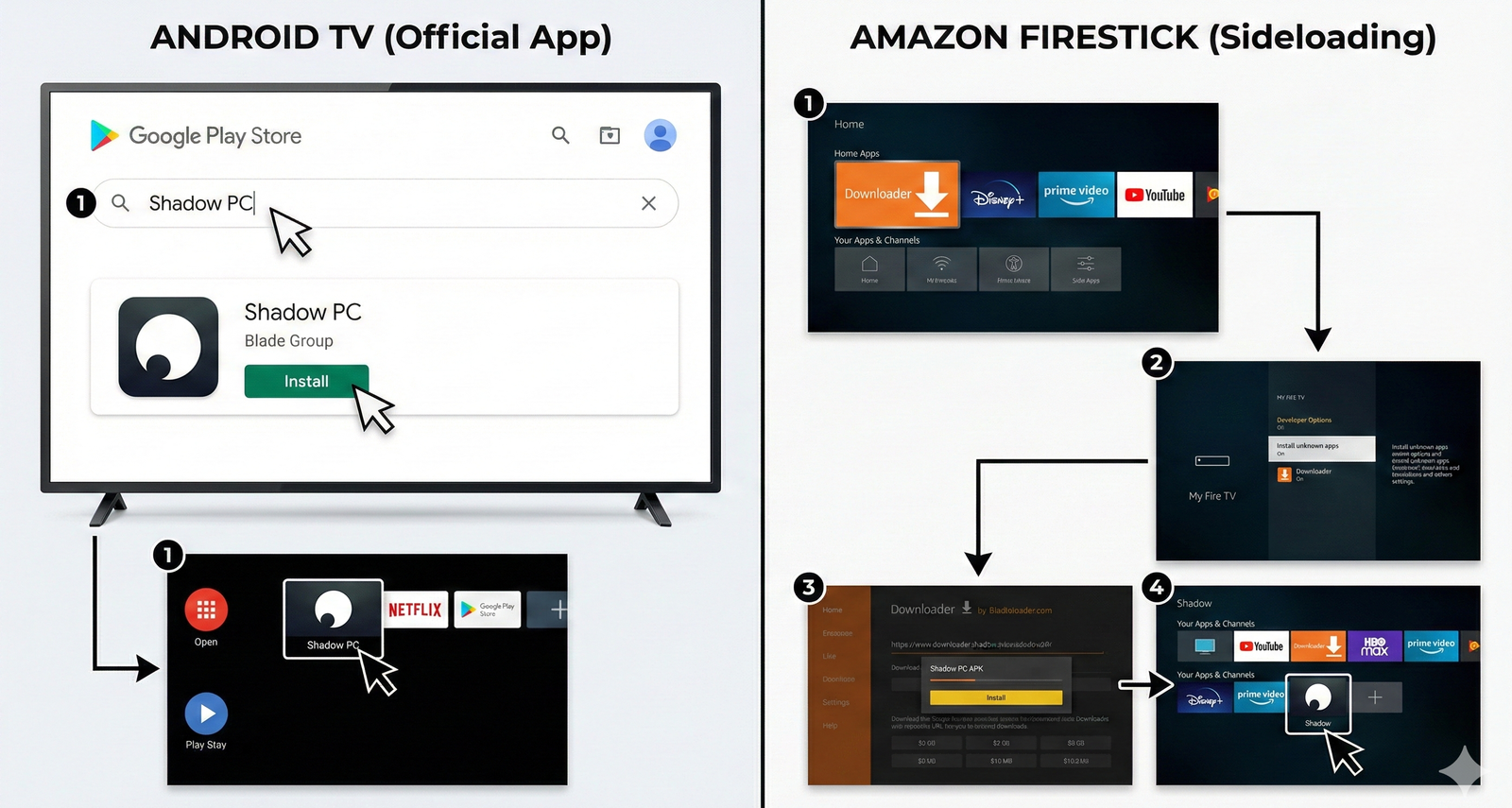
Since we are installing a third-party APK (Android Package Kit), we need the Downloader-app. This is the standard method for any “jailbroken” FireStick setup.
Step 1: Install the Downloader App
Naviger til Find > Search bar on your FireStick Home Screen.
Type "Downloader".
Select the orange icon labeled Downloader.
Klik på Få fat i eller Download to install the app.
Step 2: Enable Developer Options (Unlock Your Device)
Note: Amazon’s latest Fire OS update hides this menu. You must enable it to install APKs.
Gå til Indstillinger (Gear icon) > Mit Fire TV.
Missing “Developer Options”?
Click on Omkring.
Highlight Fire TV Stick (or your specific device name).
Click the OK (Center) button on your remote 7 times fast.
Stop when you see the message: “No need, you are already a developer.”
Tryk på Back once to return to the previous menu.
Vælg Muligheder for udviklere > Install Unknown Apps.
Find Downloader and change the setting to ON.
Step 3: Download Shadow TV APK
Now that your FireStick is ready to accept third-party apps:
Åben Downloader.
Select the URL box (where it says
http://).Search for the APK:
Type
google.comand hit Go.In the Google search bar, type: “Shadow TV Premium APK Download”.
SEO Tip: Look for results from APKPure, Uptodowneller APKCombo. These are verified, safe APK repositories.
Click the Download button on the website.
Wait for the file download to complete.
Klik på Installer when the system prompt appears.
Storage Hack: Once installed, click FÆRDIG (do not Open yet).
Vælg Sletning on the APK file prompt, then Sletning again. This clears the installation file to free up space on your FireStick.
Method 2: Install Shadow TV on Android TV & Google TV
For users with Sony Bravia, Hisense, TCL Android TVs, Nvidia Shieldeller Chromecast with Google TV, the process is easier as the app is often indexed on the Play Store.
Launch the Google Play Butik on your interface.
Vælg den Search (Magnifying Glass) icon.
Query: “Shadow TV Premium”.
Locate the app published by DevApps HD eller MatrixDev.
Klik på Installer.
Once installed, click Åben to launch the dashboard.
Setup Guide: Login with Xtream Codes API
Shadow TV is a media player shell, meaning it does not contain content. You must link it to your IPTV subscription. The most stable login method is Xtream Koder.
Launch Skygge-tv from your App Library.
Vælg "Log ind med Xtream Codes API" (Avoid loading M3U Files directly if possible; API is faster).
Input your provider credentials:
Any Name: (e.g., “Living Room”)
Username: (Case-sensitive from your provider)
Password: (Case-sensitive from your provider)
Server URL: (f.eks,
http://line.example-iptv.com:80)
Klik på Tilføj bruger.
Click your new profile to download the Channel List, VOD (video on demand)og EPG.
FAQ: Troubleshooting Shadow TV
Q: How do I fix “Download Error” on FireStick? A: This is a common error. Ensure you have Enabled Developer Options (Step 2) and that your device has at least 500MB of free storage.
Q: Is Shadow TV better than IPTV Smarters Pro? A: Many users prefer Shadow TV in 2025 because it is more lightweight and has a modern interface, whereas Smarters Pro can feel outdated and heavy on older FireSticks.
Q: Can I use Shadow TV on PC? A: Yes, but you will need an Android Emulator like BlueStacks eller Nox Player to run the APK on Windows or Mac.
Q: Why is my stream buffering? A: If you are experiencing lag, it is likely ISP Throttling. Connect to a WireGuard VPN protocol to bypass speed restrictions and secure your connection.
 Danish
  English (United States)
  German
  Dutch
Dutch  Swedish
  English (UK)
  English (Australia)
  English (New Zealand)
  Norwegian