
If you are running a live production, broadcasting a sports event, or managing digital signage, sending raw video over a network simply isn’t an option. The files are massive, the bandwidth required is impossible, and the latency would ruin the viewing experience.
That is where a 4K IPTV encoder steps in.
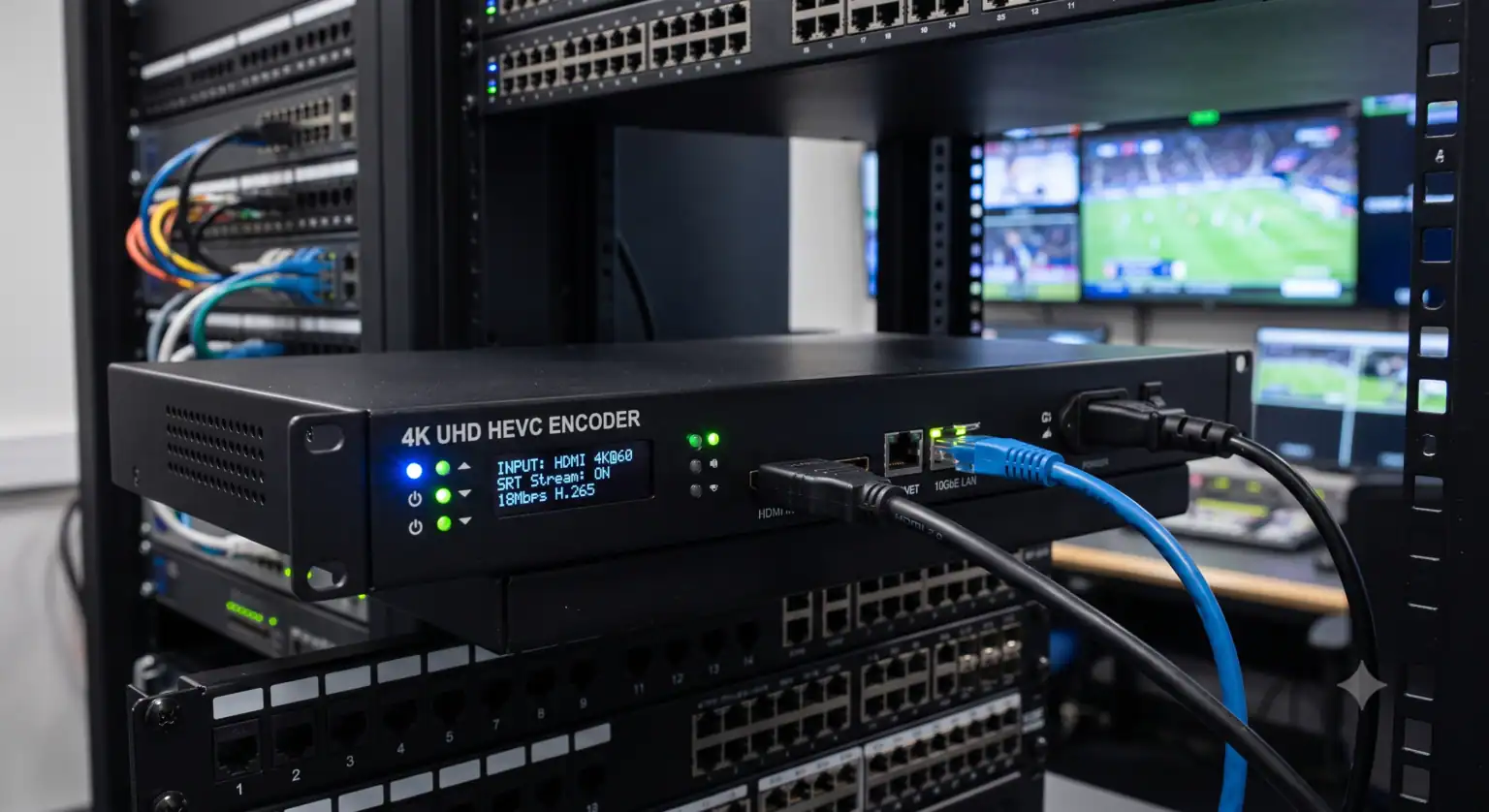
An IPTV encoder takes your raw video feed (usually from an HDMI or SDI source) and compresses it into a streamable format like H.264 or H.265 (HEVC). It then packages that stream using protocols like RTMP, SRT, or NDI to send it across the internet or a local network.
With 4K displays now being the absolute baseline in homes and commercial spaces, upgrading to a 4K encoder is no longer a luxury it is a requirement if you want your content to look sharp.
Hardware vs. Software Encoding: Which Do You Actually Need?
Before you start looking at specific brands, you need to decide whether a hardware or software encoder makes the most sense for your setup.
Software Encoders (like OBS Studio or vMix) run on your computer.
The upside: They are incredibly flexible, allow for multi-source compositing (adding graphics, lower thirds, etc.), and OBS is completely free.
The catch: Software encoding is entirely reliant on your computer’s CPU and GPU. A sudden background process, an OS update, or a RAM spike can cause dropped frames or completely crash your stream.
Hardware Encoders are dedicated physical boxes built to do exactly one thing: encode video.
The upside: Rock-solid reliability. Because they don’t run a bloated operating system, you don’t have to worry about background apps ruining your broadcast. You plug in your HDMI or SDI cable, connect to the network, and they just work.
The catch: They cost more upfront and typically require a separate switcher if you are running a multi-camera setup.
The Verdict: If you are streaming from a controlled studio environment with a high-end PC, software encoding works fine. But if you are in the field, streaming a live wedding, a church service, or a corporate event, you need the bulletproof reliability of a hardware encoder.
Key Features to Look For in a 4K Video Encoder
When comparing different models, pay close attention to these specs. They dictate whether the encoder will actually fit your workflow.
H.265 (HEVC) Support: While H.264 is the older, widely accepted standard, H.265 is critical for 4K. It compresses video files up to 50% more efficiently than H.264 without losing visual quality, saving you massive amounts of bandwidth.
Low Latency Processing: If you are broadcasting live sports or utilizing IMAG (Image Magnification) screens in a live venue, delay is your worst enemy. Look for encoders that boast “glass-to-glass” subframe latency ideally under 170 milliseconds for 4K feeds.
Modern Protocol Support (SRT & NDI): Standard RTMP is fine for pushing to YouTube, but if you are moving video across unpredictable internet connections, SRT (Secure Reliable Transport) is a must. It recovers lost packets and keeps the stream stable. If you are routing video over a local network, NDI HX3 support is heavily recommended.
Cellular Bonding: If you stream outdoors or in venues with terrible Wi-Fi, look for encoders that bond multiple cellular connections (4G/5G) with Wi-Fi and Ethernet. If one connection drops, the stream stays alive.
Top 4K IPTV Encoders to Buy in 2026
Based on stability, feature sets, and real-world performance, here are the top hardware options currently dominating the market.
1. YoloBox Extreme (Best All-in-One Encoder)
For most live producers, buying a separate monitor, switcher, encoder, and cellular bonding device is expensive and complicated. The YoloBox Extreme combines all of it into a single portable tablet. It supports 4K streaming, handles multiple HDMI inputs, and features built-in 5G bonding. If you stream events on the go, this replaces an entire rack of gear.
2. Magewell Ultra Encode Family (Best for Professional Integration)
Magewell has built a reputation for bulletproof reliability. The Ultra Encode line (specifically the HDMI Plus and AIO models) supports 4Kp30 encoding, H.265 compression, and almost every protocol imaginable (RTMP, SRT, HLS, NDI HX3). It is the perfect unit to mount in a server rack for permanent installations like churches, universities, or broadcast stations.
3. Uniguest Low Latency Encoders (Best for Digital Signage & Sports)
If your primary goal is distributing video across a massive local network like sending a live game feed to 50 TVs in a stadium concourse latency is everything. Uniguest’s 4K encoders boast glass-to-glass delays as low as 170ms over SD. They are 1U rack-mountable and built specifically for enterprise environments.
4. Teradek VidiU X (Best for Mobile Broadcasting)
While it leans heavily into 1080p, Teradek remains the industry standard for single-camera field broadcasting where connection drops are simply not tolerated. It’s compact, fast to deploy, and integrates perfectly with Teradek’s cloud infrastructure for seamless network bonding.
What Internet Speed Do You Actually Need for 4K IPTV?
Having a top-tier 4K encoder won’t save your stream if your upload speed bottlenecks the feed.
When pushing a 4K stream, the technical bare minimum upload speed is 25 Mbps. However, for a stable 4K HDR stream running at 60 frames per second, bitrates regularly exceed 18 Mbps.
To give yourself enough “headroom” to account for network fluctuations, you should secure a dedicated, hardwired internet connection with at least 35 Mbps to 50 Mbps of upload speed. Never rely on shared venue Wi-Fi to push a 4K broadcast.
Final Thoughts on Optimizing Your Setup
Upgrading to a 4K IPTV encoder is about future-proofing your content. Viewers expect crisp, buffer-free video, whether they are watching a corporate webinar or a pay-per-view fight.
Focus on your actual needs. If you run a fixed studio, rack-mounted solutions like Magewell or Uniguest are ideal. If you are a traveling videographer, all-in-one systems with built-in bonding will save you endless headaches. Invest in hardware that supports HEVC and SRT, hardwire your connections, and let the dedicated processing chip do the heavy lifting.
 English (UK)
  English (United States)
  German
  Dutch
Dutch  Danish
  Norwegian
  Swedish