
Before you buy an IPTV subscription, one question matters more than price or channel count:
Is this IPTV service actually legal?
Choosing the wrong IPTV provider can lead to service shutdowns, lost money, malware risks, or legal issues. This guide is written to help buyers confidently separate legitimate IPTV services from illegal ones before paying.
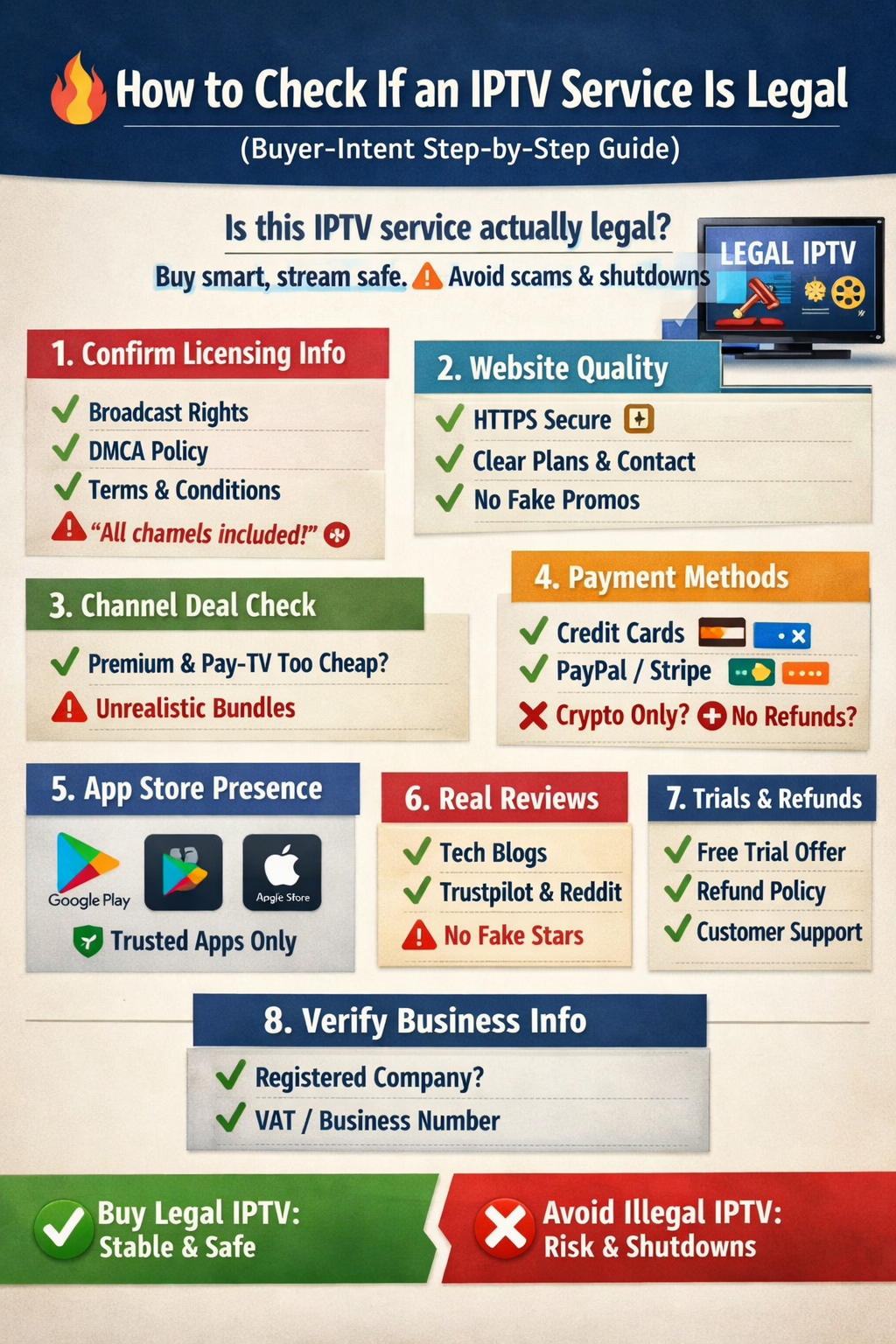
Step 1: Confirm IPTV Licensing & Broadcasting Rights (Non-Negotiable)
A legal IPTV provider openly proves content licensing.
Check for:
Clearly stated broadcasting or redistribution rights
Legal pages: Terms & Conditions, Privacy Policy, DMCA
Transparency about content ownership or partnerships
🚨 Buyer warning:
If a provider avoids licensing details or claims “all premium channels included” → do not buy.
Step 2: Evaluate the IPTV Website Like a Buyer, Not a Viewer
Professional IPTV businesses invest in trust signals.
A legal IPTV website includes:
Secure HTTPS checkout (🔒)
Clear subscription plans & renewal terms
Real company information & contact options
No exaggerated or fake claims
🚨 High-risk sign:
Copied content, fake countdown timers, or “limited offers” everywhere.
Step 3: Compare Channel Offers vs Price
Ask this before purchasing:
Does the service offer thousands of premium sports & movie channels for a very low price?
Are Pay-TV + PPV + streaming platforms bundled together?
💡 Buyer rule:
If the deal looks impossible for licensed IPTV → it is illegal.
Step 4: Review Payment Options
Legitimate IPTV services accept traceable payments, such as:
Credit or debit cards
PayPal / Stripe
Invoices & subscription records
🚨 Never buy if:
The service accepts crypto only, offers no refunds, or hides billing details.
Step 5: Check App Availability & Platform Compatibility
A legal IPTV provider often:
Appears on Google Play Store or Apple App Store
Works with reputable IPTV players
Offers official installation guides
🚨 Buyer red flag:
APK files from Telegram, Discord, or unknown download pages.
Step 6: Verify Real Reviews & Service History
Before buying, search:
Independent tech blogs
Verified Trustpilot reviews
Reddit discussions (not promotions)
Look for:
Long-term subscribers
Consistent uptime reports
Real customer support responses
🚨 Avoid buying if:
All reviews are brand-new, generic, or copied.
Step 7: Trial Access, Refunds & Support (Buyer Protection)
Trusted IPTV providers offer buyer safety, including:
Free or low-cost trials
Clear refund policies
Responsive customer support (email or live chat)
🚨 Instant rejection:
“No trial, no refund, no responsibility.”
Step 8: Company Registration & Business Transparency (Advanced Buyer Check)
For serious buyers:
Look for registered business details
VAT or company number (especially in EU)
Stable brand name & long-term domain history
Illegal IPTV sellers:
Rebrand often
Disappear without notice
Operate anonymously
Buyer-Intent IPTV Legality Checklist
✔️ Licensed content distribution
✔️ Secure payment methods
✔️ Transparent pricing & terms
✔️ Professional website & support
✔️ App store presence or verified partners
❌ “All premium channels cheap”
❌ Crypto-only payments
❌ No refunds or trial
❌ No legal pages or business identity
Final Buyer Verdict: Should You Buy This IPTV Service?
If an IPTV service fails more than 2 checks above, do not purchase.
👉 Legal IPTV = stable streaming, buyer protection, long-term access
👉 Illegal IPTV = lost money, sudden shutdowns, legal risk
 English (UK)
  English (United States)
  German
  Dutch
Dutch  Swedish
  Danish
  English (Australia)
  English (New Zealand)
  Norwegian