
Finding the right IPTV player for your Amazon Firestick is just as crucial as finding a reliable provider. You can have the most stable 4K stream in the world, but if your app lags, the Electronic Program Guide (EPG) won’t load, or navigating the Video on Demand (VOD) library feels like a chore, the entire experience falls flat.
Because Fire OS is built on Android, the Firestick ecosystem is the undisputed king of IPTV hardware. It’s cheap, powerful, and side-loading apps takes seconds. However, the app market is flooded.
Here is the definitive breakdown of the 5 best IPTV apps for Amazon Firestick in 2026, focusing strictly on performance, UI design, and stream handling.
A quick disclaimer: These apps are simply media players. They do not come pre-loaded with live TV channels or movies. You still need an active M3U playlist or Xtream Codes API login from your provider.
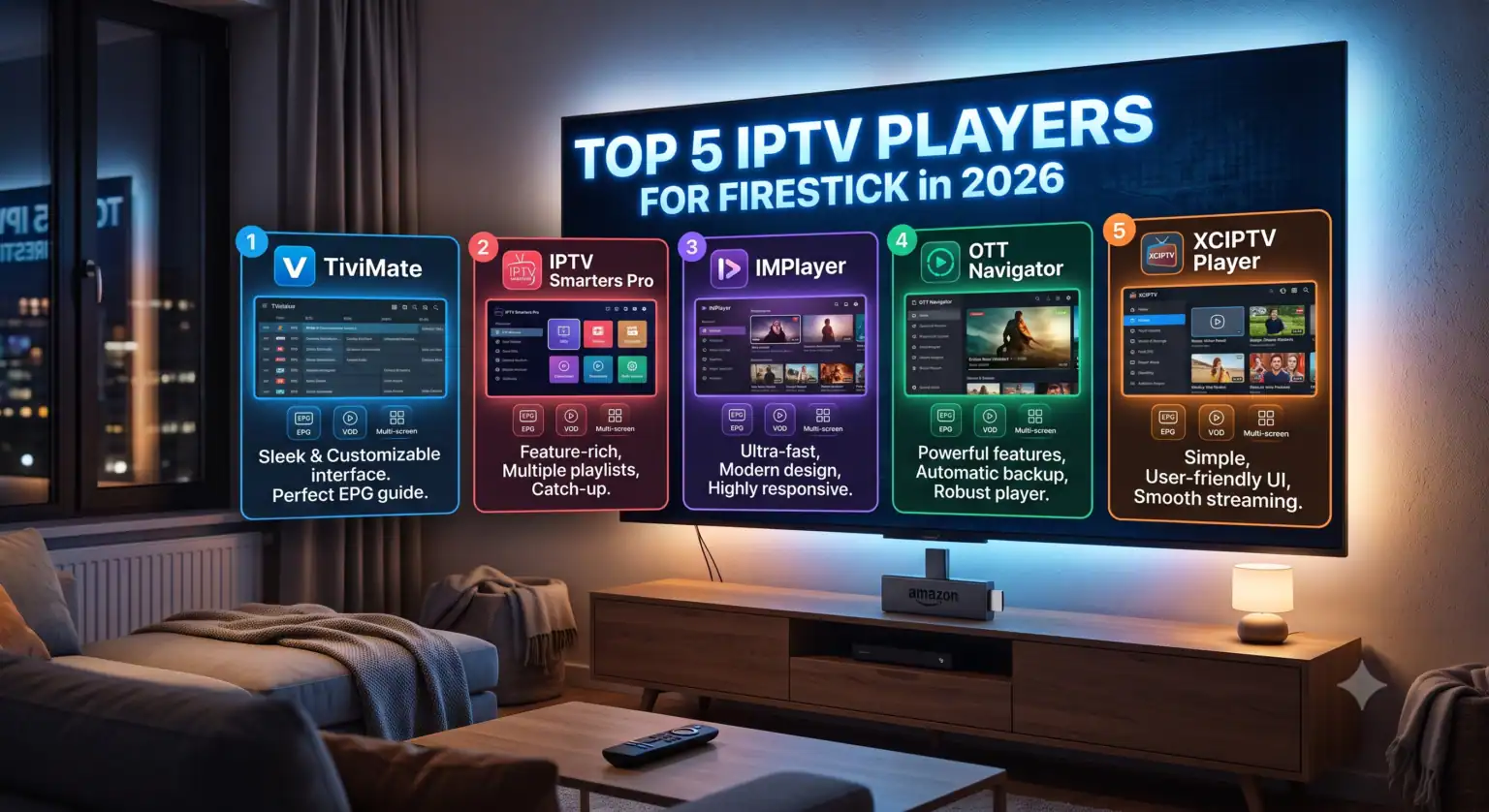
1. TiviMate Premium: The Undisputed Heavyweight
TiviMate isn’t just an app; it’s the benchmark by which every other IPTV player is judged. Designed specifically for TV screens (Firestick and Android TV), the interface closely mimics a traditional premium cable box.
If you manage massive playlists with tens of thousands of channels, TiviMate handles the heavy lifting without stuttering.
Why it ranks first:
Multi-View Support: Watch up to four live events on the same screen—an absolute game-changer for sports weekends.
Scheduled Recordings: Hook up external storage to your Firestick and DVR your favorite shows directly from the EPG.
Playlist Management: You can merge multiple provider playlists into one unified guide.
The free version is highly restricted. To unlock the real power (custom groups, catch-up, and favorites), you need the premium tier (around $4.99/year or a one-time lifetime fee), but it is universally considered worth the price.
2. IPTV Smarters Pro: The Best All-Rounder
If TiviMate is for the power user, Smarters Pro is for the masses. It is incredibly user-friendly, completely free for the core features, and handles VOD content better than almost anything else on the market.
Why it stands out:
The Layout: Smarters splits your content immediately into Live TV, Movies, and Series. The VOD section pulls in IMDb metadata, posters, and cast info beautifully.
Ease of Use: Entering an Xtream Codes API (Username, Password, URL) is foolproof.
Master Search: You can search across live channels and VOD simultaneously from the main screen.
It’s less customizable than TiviMate, and the EPG view is a bit basic, but for straightforward viewing, it rarely crashes.
3. XCIPTV: The Performance Workhorse
XCIPTV doesn’t always get the flashy headlines, but it is a staple in the IPTV community for a reason: raw stability. It comes with built-in ExoPlayer and VLC media players, meaning it can decode almost any stream format your provider throws at it without forcing you to download external codecs.
Key advantages:
Speed: Channel zapping (switching between channels) is incredibly fast on a standard Firestick 4K.
Built-in VPN Support: You can configure OpenVPN directly inside the app interface.
Backup & Restore: If you upgrade your Firestick, XCIPTV lets you backup your exact layout and settings to the cloud.
4. IBO Player Pro: The Premium Alternative
IBO Player Pro has gained serious traction over the last year as a lightweight, incredibly fast player. It’s highly optimized for the Firestick’s limited RAM. If you are using an older Firestick model and find that apps like TiviMate cause the device to overheat or buffer, IBO Player is usually the fix.
What to expect:
Clean Architecture: It ditches heavy graphical overlays for a snappy, minimalist menu system.
Mac Address Activation: Setup is done via a web portal using your device’s MAC address, which makes managing playlists remotely very easy if you are setting up a Firestick for a less tech-savvy family member.
5. OTT Navigator: The Customization King
OTT Navigator looks a bit chaotic out of the box, but it offers a level of micro-customization that rivals TiviMate. It is completely free to use (with an optional premium upgrade) and is designed to automatically group channels based on the metadata provided by your host.
Standout features:
Dynamic Filtering: Automatically separates channels by frame rate, resolution, or audio track.
Picture-in-Picture (PiP): Browse the guide or VOD menus while a live channel continues playing in the corner.
Catch-Up Integration: It handles server-side catch-up (watching aired shows from the past 48 hours) more seamlessly than most competitors.
Find Your Match
Choosing the right application depends entirely on what you watch most. Use this tool to filter the apps based on the features you prioritize:
IPTV App Feature Comparator
| App Name | Multi-view | EPG Type | VOD Layout | Price Tier |
|---|---|---|---|---|
| TiviMate | ✅ Yes | Advanced | Good | Premium |
| IPTV Smarters Pro | ✅ Yes | Basic | Excellent | Free/Premium |
| IBO Player | ❌ No | Standard | Good | Premium |
| XCIPTV | ✅ Yes | Standard | Excellent | Free/Premium |
 English (United States)
  German
  Dutch
Dutch  Danish
  English (UK)
  Norwegian
  Swedish