
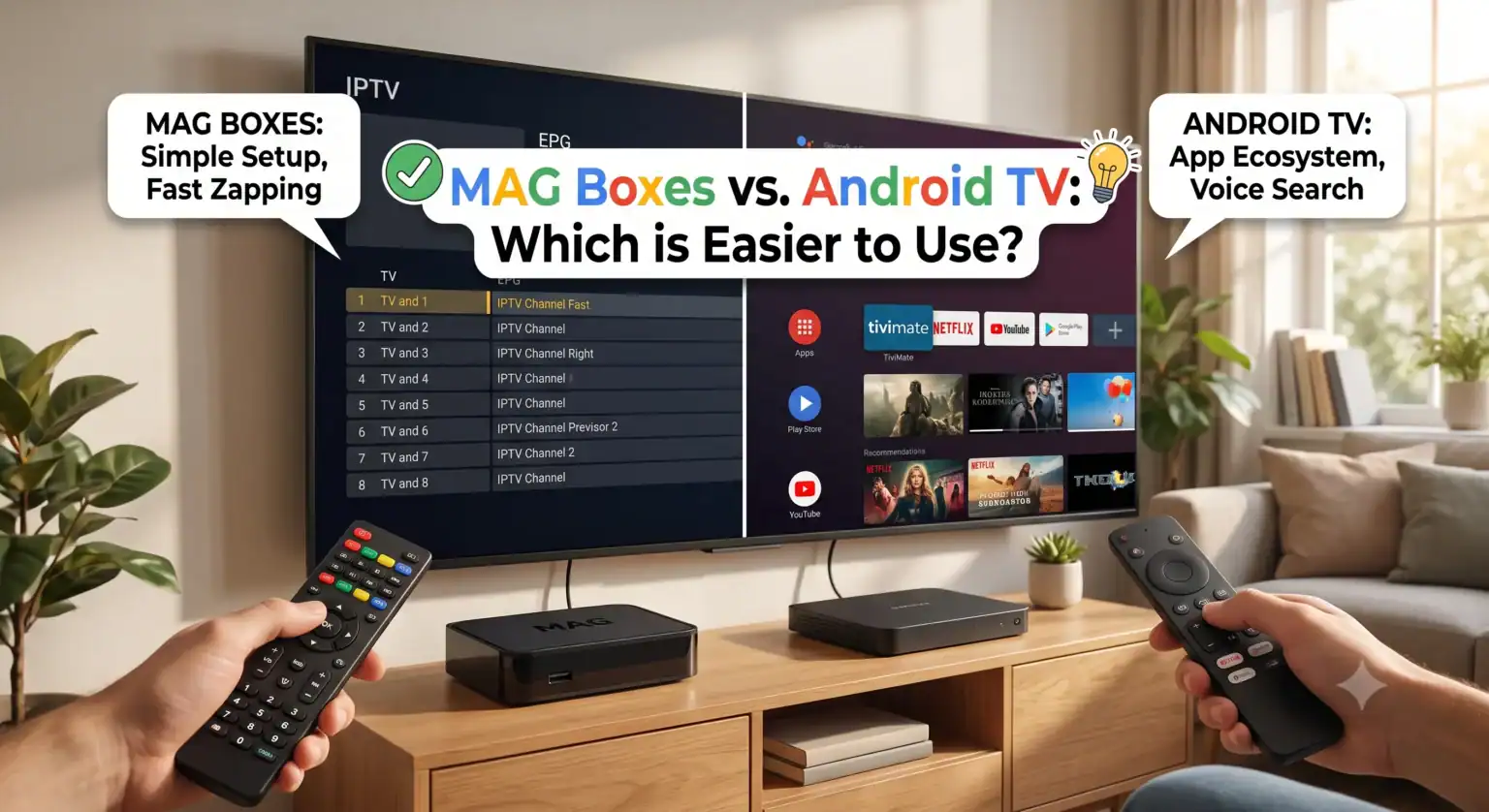
If you have been looking into IPTV for more than five minutes, you have probably hit the classic hardware dilemma: should you buy a MAG box or an Android TV device?
Both get the job done, but they do it in completely different ways. One is a highly specialized, single-purpose machine. The other is a versatile media hub. If you are trying to figure out which one is genuinely easier to use, the answer depends entirely on what you define as “easy.”
Let’s break down how these two platforms handle IPTV, the setup process, and daily viewing so you can choose the right setup for your living room.
What Exactly is a MAG Box?
Manufactured by Infomir, MAG boxes (like the popular MAG 540w3 and MAG 544w3) are dedicated IPTV endpoints. Unlike the media players you pick up at Best Buy, standard MAG boxes do not run Android. They run a lightweight, proprietary Linux operating system built for one specific purpose: connecting to IPTV provider portals.
(Note: Infomir recently released the MAG 555, which runs Google TV, but when most people in the IPTV space talk about a “MAG box,” they are referring to the traditional Linux-based models.)
The MAG Philosophy: Zero bloat. No background apps eating your RAM, no forced Google updates, and no app store. It boots up, connects to your provider’s server (usually via Stalker middleware), and loads your channels.
What is an Android TV Box?
Android TV boxes ranging from the high-end Nvidia Shield Pro to budget options like the Chromecast with Google TV or the Xiaomi Mi Box are general-purpose smart devices. They give you access to the Google Play Store, meaning you can download Netflix, YouTube, Spotify, and most importantly, third-party IPTV players.
To watch IPTV on an Android box, you have to download a player app like TiviMate, IPTV Smarters Pro, or IMPlayer, and then load your subscription details into that app.
Round 1: The Setup Process
Setting up a MAG Box To get a MAG box working, you do not download an app. Instead, you go to the device’s network settings, find its unique MAC address, and send that address to your IPTV provider.
Your provider whitelists your device on their end and gives you a “Portal URL.” You type that URL into the MAG box settings, hit save, and reboot.
Ease of setup: Moderate. Typing a long URL with a basic remote can be annoying, and you have to wait for your provider to activate your MAC address.
Setting up an Android TV Box Setup here feels just like setting up a smartphone. You connect to Wi-Fi, log into your Google account, and open the Play Store. You download an IPTV app (like Smarters or TiviMate).
To get your channels, your provider will usually give you an M3U link or Xtream Codes API login (a username, password, and server URL). You enter these credentials directly into the app.
Ease of setup: Easy to Moderate. You don’t have to wait for the provider to whitelist a MAC address, but finding and configuring the right app takes a few extra steps.
Round 2: Daily Use and Interface
This is where the user experience drastically splits.
If you hand the remote to someone who isn’t tech-savvy like an older parent a MAG box is usually the safer bet. Because it is a dedicated device, turning it on boots directly into the live TV interface. The included remote looks and feels like a traditional cable box remote, complete with dedicated numbers, channel up/down buttons, and color-coded shortcuts. Channel zapping is notoriously fast because the hardware isn’t wasting resources on background tasks.
An Android TV box, on the other hand, boots into the Android home screen. To watch TV, you have to navigate with the D-pad, find your IPTV app, open it, wait for it to load, and then navigate its specific menus to find your channels. The remotes are usually minimalist (think Apple TV or Chromecast remotes) lacking number pads, meaning you have to scroll to change channels rather than just pressing “52.”
Round 3: Flexibility and Customization
Android TV absolutely destroys the MAG box in this category.
If your IPTV provider goes out of business or you want to switch to a better service, an Android box makes it painless. You just delete your old playlist in TiviMate and add a new one. You can even load multiple IPTV providers into the same app and combine their TV guides. Plus, when you are tired of live TV, you can close the app and launch Disney+ or YouTube.
With a traditional Linux MAG box, you are locked into the Stalker portal ecosystem. It cannot run Netflix. It cannot run Kodi. If you want to switch IPTV providers, you have to find a new provider that specifically supports MAG boxes (which is getting slightly harder, as many modern providers prefer Xtream Codes), send them your MAC address, and overwrite your portal URL.
The Verdict: Which Should You Buy?
Choosing between the two comes down to exactly what you want the box to do.
Buy a MAG Box (like the MAG 544w3) if:
You want a true “cable box” replacement experience.
You only care about watching live TV and have no interest in streaming apps like Netflix.
You want the fastest possible channel changing and a traditional remote.
You are setting this up for someone who struggles with technology and just wants to turn on the TV and immediately see a broadcast.
Buy an Android TV Box if:
You want an all-in-one entertainment hub for IPTV, Netflix, YouTube, and gaming.
You want to use premium interface apps like TiviMate, which many users consider vastly superior to the default MAG interface.
You want the freedom to easily switch providers using M3U or Xtream Codes without dealing with MAC address activations.
For the modern cord-cutter, Android TV is generally the better investment because of its unmatched flexibility. However, if pure stability and simplicity are your only goals, Infomir’s MAG boxes still hold their ground as the most reliable dedicated IPTV hardware on the market.
 English (United States)
  German
  Dutch
Dutch  Danish
  English (UK)
  Norwegian
  Swedish